
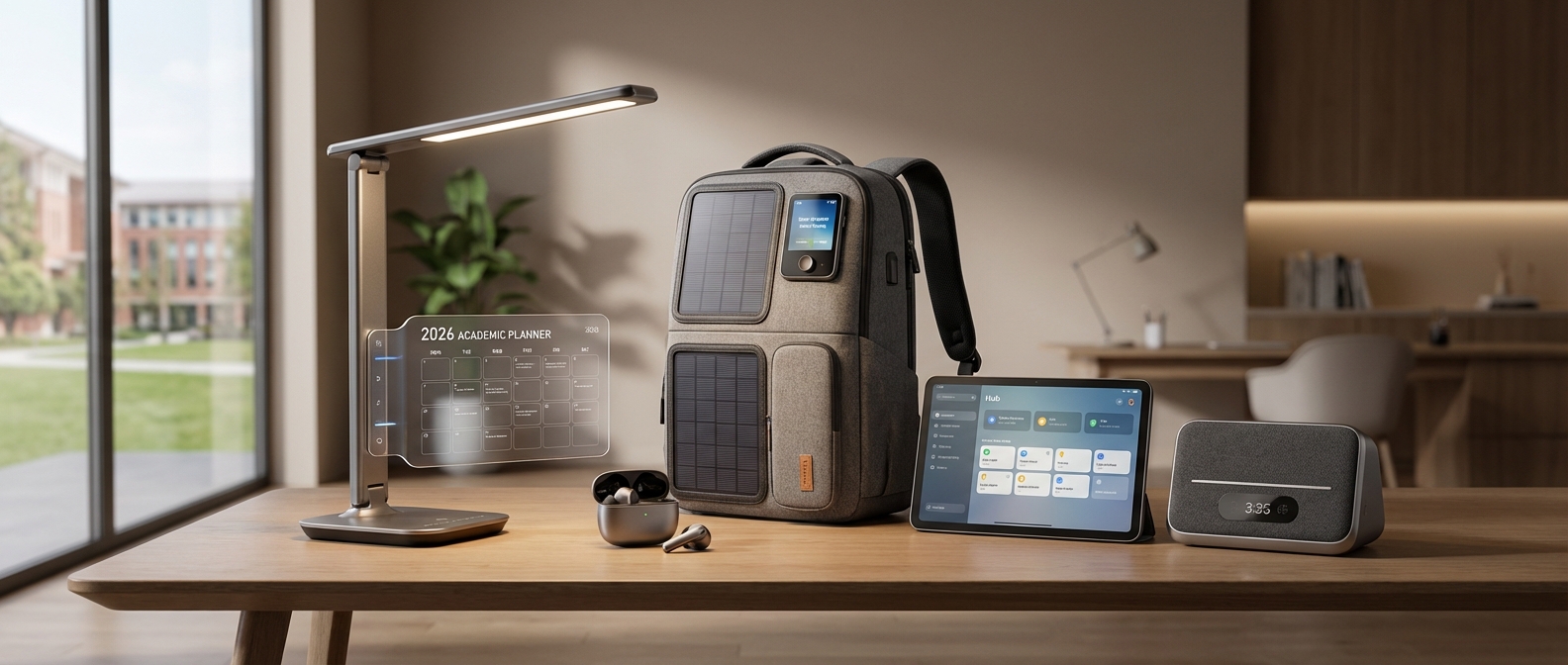
Why Your Smart Home is the Ultimate School Supply in 2026
Why Your Smart Home is the Ultimate School Supply in 2026
Your smart home acts as the ultimate school supply because it transforms chaotic logistics into automated workflows. By 2026, AI-driven hubs and Matter interoperability allow devices to enforce bedtimes, streamline wake-ups, and manage homework focus without constant parental nagging. It isn't just convenience; it is essential infrastructure for modern family management.
Forget the frantic search for lost shoes or the tenth request to brush teeth. The definition of "school supplies" has evolved beyond notebooks and tablets to include the digital ecosystem that powers your household. We are moving past novelty gadgets. We are building a support system.
Think of smart home automation as the invisible project manager for your family. When you automate the repetitive friction points of the school morning routine, you reclaim mental energy for what actually matters—connecting with your kids before they run for the bus. These represent the best parenting hacks 2026 has to offer: delegating the nagging to an algorithm.
The technology has finally caught up to the need. Thanks to universal Matter compatibility, you no longer need an IT degree to make your lights talk to your calendar. Generative AI assistants now understand context ("Start a quiet study hour") rather than requiring rigid robotic commands. For a deeper dive into configuring these systems, read our guide on How to Build the Ultimate Smart Home for Moms: The 2026 Setup Guide.
The Evolution of the Morning Routine
Here is how upgrading your infrastructure changes the daily dynamic:
| Routine Task | Traditional Method | Smart Home Method (2026) |
|---|---|---|
| Wake Up | Dragging groggy kids out of bed manually. | Circadian lighting fades up gradually + upbeat playlist starts. |
| Breakfast | Chaos in the kitchen, rushing prep. | Coffee brews automatically + smart display shows the school lunch menu. |
| Homework | Fighting distractions and screens. | Router restricts gaming sites + "Focus Mode" lighting activates. |
| Departure | "Did you lock the door?" panic. | Geofencing auto-locks doors + arms security system upon exit. |
Key Benefits for the 2026 School Year
Implementing these tools provides more than just a cool factor; it offers tangible psychological relief for parents.
- Cognitive Offloading: You stop remembering schedules; the house remembers them for you. Reminders for gym clothes or library books are announced automatically via smart speakers.
- Enhanced Focus: Smart lighting and noise control create an environment conducive to learning, distinct from "play time."
- Safety & Verification: You receive instant notifications when the kids arrive home from school. For more on this, check out The Ultimate Peace of Mind: 9 Smart Home Security Benefits for Mothers (2026 Guide).
- Energy Efficiency: Sensors ensure lights and heating are adjusted immediately after the morning rush, keeping bills low.
By treating your home as a partner in the education process, you stop managing the house and start managing the family.
Mastering the Morning Rush: Wake Up & Get Out
Mastering the Morning Rush: Wake Up & Get Out
To conquer the morning chaos, you must automate the motivation. By synchronizing circadian lighting, audio cues, and kitchen appliances, you replace shouting matches with a seamless digital workflow. This approach transforms the hardest part of the day into a managed process that gets everyone out the door with shoes on and backpacks packed.
The Gentle Nudge: Circadian Lighting
Stop being the bad guy who rips the covers off. Biology dictates that we wake up better when light gradually increases. A gentle wake up light mimics the sunrise, signaling the brain to suppress melatonin production 30 minutes before the actual alarm triggers.
For younger children, visual cues are more effective than clocks. Smart bulbs can turn soft yellow when it's okay to wake up and bright green when it's time to leave the room. If you are setting up a room for a little one, see our guide on 17 Best Smart Home Devices for Toddlers in 2026 for specific sleep-training setups.
The Traffic Controller: Smart Speaker Routines
Once eyes are open, distraction is the enemy. Smart speaker routines act as your family’s unbiased traffic controller. Instead of you nagging, your voice assistant keeps the pace.
- 7:00 AM: The assistant plays high-energy music and announces, "Time to get dressed."
- 7:20 AM: A chime sounds with a weather report, reminding kids to grab a coat if the temperature is below 45°F.
- 7:40 AM: The "Two-Minute Warning" broadcasts across all devices, signaling it is time to put on shoes.
This externalizes the authority. The clock is the boss, not Mom. For more complex automation ideas, read the 21 Best Smart Home Routines for Moms in 2026.
The Kitchen Pit Stop: Automated Breakfast
You cannot manage the chaos if you aren't caffeinated. An automated breakfast setup starts the night before. Smart plugs on the kettle or a Wi-Fi-enabled coffee maker ensure your cup is hot the moment your feet hit the kitchen floor. For the kids, smart toaster ovens can preheat remotely while you are still overseeing the toothbrushing battle, shaving precious minutes off the bagel routine.
Top Morning Rescue Gadgets (2026 Comparison)
| Gadget Category | Best For | Key Feature | 2026 Top Pick |
|---|---|---|---|
| Smart Curtains | Heavy Sleepers | Physically opens drapes to let natural light flood the room. | SwitchBot Curtain 4 |
| Sunrise Alarm | Mood Regulation | Simulates dawn colors (Red to Orange to White) for gradual waking. | Hatch Restore 3 |
| Smart Display | Visual Organizers | Shows the family calendar and weather at the breakfast table. | Echo Show 15 (Gen 3) |
| Smart Plug | Coffee/Kettle | Turns "dumb" appliances into scheduled devices. | Kasa Matter Plug |
By offloading the mental load of timekeeping and wake-up calls to your smart home, you reclaim your mental energy for what actually matters: sending them off with a smile rather than a stress headache.
Smart Circadian Lighting & Sunrise Alarms
Smart Circadian Lighting & Sunrise Alarms
Smart circadian lighting and sunrise alarms are essential back to school smart home gadgets because they utilize gradual light exposure to suppress melatonin and stimulate cortisol production, biologically signaling the body to wake up before an audible alarm sounds. This method eliminates sleep inertia—that heavy, groggy feeling—and replaces the adrenaline spike of a loud buzzer with a natural, energetic start to the school day.
The Biology of Waking Up: Light vs. Sound
The difference between waking up to a standard alarm and a sunrise simulation is the difference between panic and preparation. A traditional alarm clock triggers a "fight or flight" response, spiking adrenaline and heart rate. This is why your children often wake up irritable or anxious.
In 2026, we focus on cortisol, the "wake-up hormone." By gradually increasing light intensity 30 minutes before the desired wake-up time, smart lights penetrate the eyelids and signal the brain to switch from sleep mode to wake mode. By the time the sound finally plays, the brain is already awake.
Top Contenders: Hatch vs. Philips Hue
For the 2026 school year, the market is dominated by two approaches: the all-in-one bedside device (Hatch) and the ecosystem approach (Philips Hue).
| Feature | Hatch Restore 3 (2026 Model) | Philips Hue (Gradient Series) |
|---|---|---|
| Primary Function | Bedside sleep coach & sound machine. | Whole-room ambient lighting. |
| Installation | Plug-and-play; sits on the nightstand. | Requires hub (Bridge) & bulb replacement. |
| Wake-Up Style | Localized sunrise simulation directly at eye level. | Immersive, room-filling sunrise wash. |
| Audio | High-fidelity white noise & sleep stories. | None (requires separate speaker integration). |
| Best For | Individual focus: Kids who need sound to sleep. | Environment focus: Teens who want a "vibey" room. |
| Price Point | Mid-Range ($199) | Premium ($300+ for hub & multiple bulbs). |
Hatch Restore 3: The Bedside Companion
The latest iteration of the Hatch Restore remains a top tier choice for younger students and heavy sleepers. It combines a reading light, sound machine, and sunrise alarm into one sleek unit. The 2026 software update now includes "School Mode," which locks the device during homework hours to prevent distractions and automatically initiates a wind-down routine at a set bedtime.
If you are struggling to establish a consistent morning schedule, automating your child's wake-up time is one of the 21 Best Smart Home Routines for Moms in 2026 [The Ultimate Sanity Saver].
Philips Hue: The Immersive Experience
For teenagers or homes already invested in a smart ecosystem, Philips Hue is superior. Using the "Natural Light" scene, Hue bulbs automatically adjust their color temperature throughout the day—cool white for homework focus in the afternoon, and warm amber for relaxation in the evening.
Why it works for teens:
- Syncs with circadian rhythms: The lighting shifts subtly, helping reset their often-delayed internal clocks.
- Matter Integration: In 2026, Hue's seamless integration with Matter means the lights can trigger a Spotify playlist on a separate smart speaker the moment the "sun" fully rises.
- Visual cues: You can program the lights to flash green when it is time to leave for the bus, acting as a non-verbal nag.
For parents with younger children still in the nursery phase looking to transition them to school schedules, understanding light temperature is vital. You can find more details in our guide on Best Smart Lighting for Nursery (2026): The Ultimate Sleep Guide.
Voice Assistants as Traffic Controllers
Voice Assistants as Traffic Controllers
Transform your smart speaker from a simple music player into the ultimate command center for morning chaos. By integrating back to school smart home gadgets with advanced voice assistants, you create a proactive system that monitors weather patterns, tracks school bus GPS data, and issues timely reminders before you even realize you’re running late. This isn't just about setting alarms; it is about delegating the cognitive load of logistics to an AI that manages time better than any caffeinated parent can.
The Power of Predictive AI Routines
In 2026, static alarms are obsolete. Modern voice assistants—powered by Large Language Models (LLMs)—utilize predictive timing. Instead of waking the house at 6:30 AM regardless of conditions, your assistant now analyzes real-time traffic data and local weather severity overnight. If heavy snow creates a 20-minute traffic delay, the AI adjusts the wake-up routine automatically, ensuring the kids make the first bell without a frantic rush.
To master this, you need to move beyond single commands and build "stacked" routines. For a comprehensive list of automation scripts, read our guide on 21 Best Smart Home Routines for Moms in 2026.
Essential Morning Routine Triggers:
- The "Dress for Success" Prompt: The assistant checks the hourly forecast and cross-references it with the school calendar (e.g., Gym Day). If rain is predicted during recess, it reminds the kids to pack rain boots before they leave the bedroom.
- Bus Loop Sync: By linking your district’s transportation app to your hub, the assistant announces, "Bus 42 is two minutes away," over the kitchen speaker, eliminating the need to stare out the window.
- The Exit Checklist: Motion sensors at the front door trigger a final voice prompt: "Do you have your lunchbox, math homework, and signed permission slip?"
Platform Comparison: Choosing Your Morning Commander
Not all back to school smart home gadgets play nice with every assistant. Whether you rely on Amazon’s predictive "Hunches," Google’s Gemini-powered reasoning, or Apple’s privacy-centric intelligence, choosing the right ecosystem is critical for seamless traffic control.
| Feature | Amazon Alexa (2026) | Google Home / Gemini | Apple Intelligence (Siri) |
|---|---|---|---|
| Best For | Predictive "Hunches" and proactive reminders without setup. | Complex queries and deep integration with school emails/calendars. | Privacy-first families and seamless iPhone ecosystem handoffs. |
| Traffic AI | Good. Uses historical data to suggest earlier departure times. | Superior. Uses Waze/Maps real-time data to reroute you instantly. | Solid. Focuses on "Time to Leave" notifications on Apple Watch. |
| Context Awareness | "It looks like it's raining, should I order an Uber?" | "The school sent an email about a delay; adjusting alarm." | "Here is your schedule for the day, summarized on your iPad." |
If you are currently debating which ecosystem suits your household best, consult our detailed comparison: Alexa vs. Google Home for Families (2026): The Ultimate Mom-Tested Battle.
By designating your voice assistant as the household traffic controller, you stop being the "bad guy" yelling about the time and start being the parent who has time for a second cup of coffee. The technology handles the logistics; you handle the parenting.
Smart Plugs for Instant Breakfasts
Smart Plugs for Instant Breakfasts
Smart plugs remain the most versatile, cost-effective entry point for parents looking to upgrade their back to school smart home gadgets. These devices bridge the gap between "dumb" legacy appliances and your modern home network, shaving critical minutes off your morning routine when every second counts. If you are looking to overhaul your entire schedule, pairing these hardware hacks with the 21 Best Smart Home Routines for Moms in 2026 creates a seamless start to the day.
Automating the Morning Rush
The goal isn't just to turn things on; it is to have breakfast ready the moment you walk into the kitchen. However, this only works with appliances that have mechanical on/off switches. If your device resets to "Off" when unplugged, a smart plug won't help.
Here are the three most effective implementations for school mornings:
- The "Ready-to-Pour" Kettle: Fill your electric kettle with water the night before and flip the physical switch to "On" (while the smart plug is off). Schedule the plug to activate 10 minutes before your alarm. You will wake up to boiling water ready for tea, French press coffee, or instant oatmeal.
- Slow Cooker Oatmeal: Steel-cut oats are nutritious but take too long for a Tuesday morning. Combine ingredients in the slow cooker the night before. Set your smart plug to turn on at 4:00 AM on "Low." By 7:00 AM, a hot, healthy breakfast is ready for the kids.
- Toaster Oven Pre-Heat: Waiting for a toaster oven to reach 400°F wastes valuable time. Schedule the plug to turn on as you wake up so the oven is pre-heated for frozen waffles or bagels immediately. Note: For safety, never leave food inside a toaster oven overnight; use this strictly for pre-heating.
Appliance Automation ROI
Not every gadget needs a smart plug. Prioritize devices that save actual labor or wait time.
| Appliance | Best Use Case | Time Saved | 2026 Prerequisite |
|---|---|---|---|
| Electric Kettle | Boiling water for tea/oats | 5–8 Minutes | Mechanical Switch |
| Slow Cooker | Overnight porridge/oats | 15–20 Minutes | Mechanical Knob |
| Toaster Oven | Pre-heating element | 3–5 Minutes | Fire Safety Clearance |
| Espresso Machine | Warming the boiler | 10–15 Minutes | Mechanical Switch |
Energy Monitoring and Safety
Beyond convenience, modern smart plugs in 2026 offer granular energy monitoring. You can identify which appliances are "vampire" energy drains when left on standby. For a deeper dive into cutting costs, review our guide on Smart Home Energy Saving for Families: How to Slash Bills in 2026.
Safety Critical: Ensure your smart plug is rated for the amperage of the appliance. Kettles and toaster ovens are high-draw devices (often 1500W). Using a cheap, low-amp plug can create a fire hazard. Always verify the maximum load capacity before automating heating elements.
The 'Latchkey' Solution: After-School Security & Safety
The anxiety of the "latchkey" era is obsolete in 2026. Modern smart ecosystems bridge the gap between school dismissal and your arrival, transforming a vulnerable window into a secure routine. By integrating keyless entry with targeted monitoring, you gain verification without hovering. It’s not about surveillance; it’s about confirming safe arrival and automatically securing the perimeter behind them.
The End of Lost Keys: Smart Entry
Kids lose keys. It happens. Smart locks for kids eliminate this physical vulnerability entirely. In 2026, the industry standard has shifted toward biometric verification and geofencing rather than simple keypads, which carry the risk of shared codes.
When your child arrives, they simply scan a fingerprint or tap a phone. You receive an instant notification: "Front Door Unlocked by Liam." Crucially, if they forget to lock up behind them—a common oversight for distracted students—the system auto-locks after two minutes. For a broader look at securing the perimeter, read our insights on Smart Home Safety for Kids: The Ultimate Protection Guide (2026).
The Gatekeeper: Video Doorbells
The video doorbell serves as the primary firewall for your home. It empowers your child to ignore the door completely. If a package arrives or a stranger knocks, you answer via two-way audio from your office, not the child. This creates the illusion of an occupied adult home, deterring potential bad actors while keeping your child safely inside.
Balancing Safety with Privacy
Monitoring inside the home requires a delicate touch. Older children often resent the feeling of being watched. To maintain trust while ensuring latchkey kids safety, prioritize devices with indoor security cameras privacy shutters.
These physical lens covers should be programmed to close automatically when a parent’s smartphone connects to the home Wi-Fi. You only need to verify they walked in and started their homework, not stream their entire afternoon.
Comparison: Child-Friendly Entry Methods
| Entry Method | Security Level | Convenience for Kids | Risk Factor | Best For |
|---|---|---|---|---|
| Biometric (Fingerprint) | High | Maximum | Low (Cannot be lost/stolen) | Ages 6-12 |
| Smartphone Geofence | Medium | High | Medium (Phone battery dies) | Teens (13+) |
| Keypad Code | Medium | Medium | High (Code sharing/forgetting) | Backup Access |
| Physical Key | Low | Low | High (Lost keys) | Emergency Only |
Automating the "Welcome Home"
Security isn't just about locks; it's about environment. A dark, cold house can feel intimidating to a child entering alone. Set your system to trigger a "Homework Mode" scene the moment the smart lock disengages. This creates a welcoming atmosphere instantly.
- Lighting: Hallway and kitchen lights turn on to 100% brightness.
- Climate: The thermostat adjusts from "Away" to "Comfort."
- Audio: A smart speaker plays a pre-recorded reminder: "Welcome home! Grab a snack and start math."
You can set these triggers easily. Check out the 21 Best Smart Home Routines for Moms in 2026 to automate lighting and heating the moment the door unlocks.
Keyless Entry: Smart Locks & Fingerprint Access
Keyless Entry: Smart Locks & Fingerprint Access
Nothing disrupts a workday faster than a panicked call from a child locked out of the house. As one of the most essential back to school smart home gadgets, a smart lock eliminates the anxiety of lost physical keys and provides real-time visibility into who enters your home. You gain immediate peace of mind knowing exactly when your kids arrive safely from school.
Top Smart Locks for Families (2026 Comparison)
| Model | Best For | Key Features | Connectivity |
|---|---|---|---|
| Schlage Encode Plus | Durability | Apple HomeKey, built-in Wi-Fi, rugged keypad | Matter / Wi-Fi / Thread |
| August Wi-Fi Smart Lock | Renters | Retrofits over existing deadbolt, auto-unlock | Wi-Fi / Bluetooth |
| Yale Assure Lock 2 Touch | Convenience | Fingerprint scanner, sleek touchscreen, key-free | Matter / Bluetooth / Wi-Fi |
Why You Need to Upgrade This Semester
Eliminate the "Lost Key" Drama Kids lose things. It is an inevitable fact of school life. With options like the Yale Assure Lock 2, your child uses their fingerprint or a simple PIN code to enter. There is no brass key to drop on the bus or leave in a locker. If they forget their code, you can unlock the door remotely via your smartphone app.
Real-Time Arrival Notifications The best smart locks send instant alerts to your phone the moment the door unlocks. You know immediately that your child is home safe without needing them to call or text. For a broader approach to home protection, integrate these locks into a larger system; check our guide on Smart Home Safety for Kids: The Ultimate Protection Guide (2026) to see how locks work with cameras and sensors to secure the perimeter.
Seamless Automation Smart locks integrate with your existing ecosystem to trigger automated sequences. Imagine the door unlocking, the hallway lights turning on, and the thermostat adjusting automatically. This level of automation is a core component of the 21 Best Smart Home Routines for Moms in 2026 [The Ultimate Sanity Saver].
Top Picks Breakdown:
- Schlage Encode Plus: Ideal for iPhone users. The "Home Key" feature allows kids to tap their iPhone or Apple Watch against the lock to enter—no app required. It is graded AAA for security and durability.
- August Wi-Fi Smart Lock: Perfect if you want to keep your exterior hardware unchanged. It installs on the inside of the door, meaning your physical keys still work as a backup.
- Yale Assure Lock 2: Offers the most versatility with key-free, touchscreen, and physical key options. The fingerprint module is particularly fast, making entry effortless for younger children who might struggle with memorizing codes.
Video Doorbells: The First Line of Defense
Video Doorbells: The First Line of Defense
Video doorbells serve as the digital bouncer for your front porch, making them indispensable back to school smart home gadgets for families with latchkey kids. When the school bus drops your children off, this device ensures you know exactly when they walk through the door and, more importantly, who else might be standing there.
The standout feature for 2026 is low-latency two-way audio. This technology allows you to screen visitors remotely with zero lag, creating the illusion that an adult is home even when you are stuck in a meeting. If a delivery driver or an unexpected solicitor rings the bell, you answer directly through your smartphone app. Your child never has to approach the door or reveal they are alone. This separation is critical. It empowers you to handle interactions while your child stays safely focused on homework or a snack.
For parents building a comprehensive safety net, integrating your doorbell with other security measures is key. You can explore more strategies in our guide on Smart Home Safety for Kids: The Ultimate Protection Guide (2026).
Essential Doorbell Features for Student Safety
Not all video doorbells are created equal. When selecting a device to protect your after-school routine, prioritize these specific capabilities.
| Feature | Function | Why It Matters for Back to School |
|---|---|---|
| Crisp Two-Way Audio | Real-time communication via app. | You intercept strangers before they realize a child is alone. |
| Facial Recognition | Identifies specific family members. | Receive a specific alert: "Noah is home" vs. "Person detected." |
| Package Detection | Distinguishes boxes from people. | Prevents kids from opening the door to retrieve packages unnecessarily. |
| Pre-Recorded Responses | Automated voice replies. | Allows you to dismiss solicitors with a tap if you can't talk. |
| 180° Field of View | Head-to-toe video coverage. | Ensures you see packages left on the mat, not just face-level motion. |
Pro Tip: Configure your "Motion Zones" to exclude high-traffic street areas. This reduces false alarms, ensuring that when your phone buzzes, it is because someone is actually approaching your entryway. Reliable notifications are the difference between peace of mind and constant distraction.
Privacy-First Indoor Monitoring
Privacy-First Indoor Monitoring
Balancing parental anxiety with a teenager's need for autonomy requires nuanced technology. The most effective back to school smart home gadgets in 2026 prioritize "verified privacy"—systems that confirm safety without constant surveillance. You need devices that notify you when your child unlocks the front door, but physically blind themselves once the house is occupied.
The Standard: Physical Privacy Shutters
Software toggles are no longer sufficient for peace of mind. Modern indoor cameras now feature mechanical privacy shutters that audibly click shut and visually cover the lens when family members are home. This provides a clear visual cue to your children that they are not being watched, fostering trust while maintaining the ability to check in during emergencies.
When selecting an indoor camera for after-school monitoring, look for these 2026 standard features:
- Automated Geo-fencing: The shutter closes automatically when your phone (or your teen's phone) connects to the home Wi-Fi.
- Hardware Disconnect: The microphone implies a hardware-level cut when the shutter is down, ensuring no audio snooping.
- Gesture Activation: Kids can wave at the camera to open the shutter and initiate a quick two-way call if they need help.
For a broader look at securing your environment, read our guide on Smart Home Safety for Kids: The Ultimate Protection Guide (2026).
Sensor-Based Monitoring: The "No-Camera" Approach
For families with older teenagers, cameras often cause friction. A privacy-forward alternative uses multi-purpose sensors rather than video feeds. These devices track humidity, temperature, and motion to infer presence without capturing images. You receive a notification that "Movement was detected in the kitchen at 3:15 PM," confirming your child is home and grabbing a snack, without invading their personal space.
Comparison: Cameras vs. Presence Sensors
| Feature | Privacy-First Camera (w/ Shutter) | Presence/Motion Sensor |
|---|---|---|
| Visual Confirmation | High (Only when active) | None |
| Privacy Rating | Moderate | Maximum |
| Teen Acceptance | Low to Medium | High |
| Data Captured | Video & Audio | Motion, Temp, Humidity |
| Best Use Case | Verifying younger kids' safety | Passive monitoring for teens |
Negotiating Safety with Teens
If you opt for cameras, involve your student in the setup. Agree on "Lens Down" times. Many current back to school smart home gadgets allow for scheduled privacy modes. Program the system to disarm indoor recording from 3:30 PM to 11:00 PM, ensuring the camera only activates if the security alarm is triggered or if the smoke detector sounds. This compromise delivers security when the house is empty and privacy when it is full.
The Homework Zone: Tech for Focus & Productivity
The Homework Zone: Tech for Focus & Productivity
Creating an environment conducive to deep work helps children transition from the chaos of the school bus to the quiet of the study desk. By 2026, we aren't just telling kids to focus; we are engineering the room to support their cognitive load. The goal is simple: minimize friction, eliminate digital distractions, and optimize sensory input for maximum retention.
Lighting the Way to Concentration
Your kitchen’s warm, cozy lighting is perfect for dinner, but it signals the brain to relax, not work. To keep energy levels high during late afternoon study sessions, you need smart lighting for studying. These bulbs adjust color temperature based on the task at hand.
- Cool White (5000K-6000K): mimics daylight to suppress melatonin and boost alertness.
- Automated Scenes: Trigger a "Homework Mode" that instantly brightens the workspace while dimming surrounding areas to create a visual "tunnel" of focus.
- Visual Timers: Have your lights slowly shift to a warmer tone as the study session ends, signaling a break without a jarring alarm.
For a deeper dive into automating these transitions, check out our guide on the 21 Best Smart Home Routines for Moms in 2026 [The Ultimate Sanity Saver].
The Digital Fence: Managing the Mesh
The internet is the ultimate double-edged sword: essential for research, fatal for focus. Modern routers have evolved beyond simple connectivity into robust traffic controllers. Using mesh wifi parental controls, you can now segment your home network with granular precision.
Create a specific "Homework Profile" for your child’s devices. With a single tap in your app (or a voice command), you can block bandwidth-heavy gaming servers and social media apps while keeping educational domains like Wikipedia or Google Classroom wide open. This eliminates the willpower struggle; the distractions simply don't load.
Silence is Golden (and Wireless)
In a busy household, auditory distractions are often the biggest barrier to finishing math worksheets. If you have younger siblings playing nearby, noise cancelling headphones for kids are an investment in your sanity.
Unlike adult versions, the 2026 models prioritize hearing health. They feature active noise cancellation (ANC) to drown out background TV or chatter, but strictly limit volume output to 85dB to prevent ear damage. This creates a portable "quiet zone," allowing your child to study at the kitchen island even while dinner is being prepped.
The 2026 Homework Tech Stack
Not all gadgets are created equal. Here is a breakdown of the essential tech to build the ultimate study station this year.
| Tech Category | Essential Feature | Estimated Cost (2026) | Productivity Benefit |
|---|---|---|---|
| Smart Lighting | Tunable White Spectrum | $15 - $35 / bulb | Focus: Cool light increases reading speed and reduces eye strain. |
| Mesh WiFi System | App-Based Site Blocking | $150 - $300 | Discipline: Removes digital temptations at the source (router level). |
| Kids' ANC Headphones | Volume Limiting (85dB) | $60 - $120 | Isolation: Creates a private auditory space in shared rooms. |
| Smart Assistant | "Do Not Disturb" Mode | $40 - $80 | Utility: Acts as a hands-free calculator and dictionary without a screen. |
The Role of Voice Assistants
Smart speakers are often dismissed as music players, but they serve as excellent "invisible tutors." When a child asks, "Hey Google, how do you spell guarantee?" or "Alexa, what is 14 times 12?", they get an immediate answer without opening a tablet and getting sucked into a YouTube rabbit hole.
However, boundaries are key. You can configure these devices to disable non-educational skills during homework hours. For more on how these devices support parenting, read The Invisible Village: 9 Life-Changing Benefits of a Smart Assistant for Moms (2026 Guide).
Concentration Lighting Scenes
Concentration Lighting Scenes
Smart lighting is more than just convenience; it is biological hacking for better grades. By utilizing tunable back to school smart home gadgets like Philips Hue or Nanoleaf essentials, you can create distinct "Concentration Scenes" that shift the color temperature of a room to match the task at hand, leveraging the Kelvin scale to dictate your child's energy levels.
Most parents overlook the impact of light spectrums on the brain. A standard soft white bulb might actually be putting your child to sleep during algebra. To maximize productivity, you must distinguish between Cool White and Warm White settings.
The Science of Kelvin: Cool vs. Warm
Lighting affects our circadian rhythm—the internal clock that tells us when to be alert and when to sleep. Smart bulbs allow you to manipulate this via the Kelvin (K) temperature scale.
- Cool White (Focus Mode): This setting mimics mid-day sunlight. It is rich in blue light wavelengths, which suppresses melatonin production and stimulates cortisol. This signals the brain that it is time to work, making it essential for homework sessions involving math or logic.
- Warm White (Relax Mode): Mimicking the hues of a sunset, this setting removes blue light and introduces amber tones. It signals the body to wind down. This is critical for post-study relaxation or reading before bed to ensure a good night's sleep.
Integrating these lighting transitions is one of the 21 Best Smart Home Routines for Moms in 2026 to automate your evening chaos. If you have younger children, similar principles apply to establishing healthy sleep patterns; see our guide on Best Smart Lighting for Nursery (2026).
Lighting Configuration Guide
Use the table below to program your smart bulbs for the optimal academic environment.
| Feature | Cool White (Concentration) | Warm White (Decompression) |
|---|---|---|
| Kelvin Range | 4,000K – 6,500K | 2,000K – 3,000K |
| Visual Appearance | Crisp, blue-tinted, clinical brightness. | Soft, yellow/orange, cozy glow. |
| Biological Impact | Heightens focus and visual acuity. | Lowers heart rate and prepares for sleep. |
| Ideal Activity | Test prep, math, science projects. | Creative writing, reading, art. |
Setting the Scene
Don't rely on manual switching. Set up a "Homework Hour" automation in your smart home hub (Apple Home, Google Home, or Alexa).
- Trigger: At 4:00 PM (or whenever school ends), lights in the study area fade to Concentration Blue (5500K) at 80% brightness.
- Transition: At 6:00 PM, the lights slowly shift over 15 minutes to Relaxation Warm (2700K).
- Result: The visual cue tells your child that work time is over without you having to say a word, helping separate school stress from family time.
Wi-Fi Management & Digital Wellbeing
Wi-Fi Management & Digital Wellbeing
The most critical back to school smart home gadgets aren't just for convenience; they are essential for academic discipline. Modern Mesh Wi-Fi systems, such as the Eero Max 7 or Google Nest Wifi Pro, are the only effective way to enforce homework hours. They allow parents to group devices by child, schedule automatic internet "blackouts" on gaming consoles during study sessions, and filter content without severing the connection needed for educational research.
In 2026, the distinction between a "connected classroom" and a "digital distraction" is razor-thin. Standard ISP routers lack the granularity required for modern parenting. You need the ability to isolate traffic. A Mesh system empowers you to keep a Chromebook online for Google Classroom while simultaneously pausing the connection to a PlayStation 5, Nintendo Switch, or TikTok on a smartphone. This selective connectivity is the backbone of a focused study environment.
Beyond simple pausing, network-level protection is vital. Malicious content evolves as fast as educational tech. For a comprehensive strategy on securing your network layers, review our full report on Smart Home Safety for Kids: The Ultimate Protection Guide (2026).
Top Mesh Systems for Parental Control (2026 Comparison)
When selecting a router for family management, focus on the "Parental Control Suite" rather than just raw speed.
| Feature | Eero Max 7 (Amazon) | Google Nest Wifi Pro 2 | TP-Link Deco BE85 |
|---|---|---|---|
| Best For | Deep Alexa Integration | Google Home Families | Power Users & Large Homes |
| Subscription Cost | Required (Eero Plus) | Free (Standard Features) | Free (HomeShield Basic) |
| Device Grouping | Excellent. Create profiles per child. | Good. Group by device type. | Excellent. robust profile management. |
| Focus Mode | One-tap pause for specific profiles. | "Family Wi-Fi" pause schedules. | "Study Time" bandwidth prioritization. |
| Content Filter | Advanced ad & adult blocking. | SafeSearch enforcement. | Comprehensive web filtering. |
How to Configure Your Network for Success
Installing the hardware is only step one. To truly "save your sanity" this semester, configure your system using these specific protocols:
- Create "Person Profiles": Do not manage devices individually. Create a profile named "Jack" and assign his iPad, Xbox, and phone to it. When you hit pause on "Jack," every distraction stops instantly.
- Prioritize Educational Traffic: Use the Quality of Service (QoS) settings to prioritize traffic to laptops and desktops during the hours of 4:00 PM to 7:00 PM. This ensures Zoom tutoring sessions don't lag because someone else is streaming 8K video in the living room.
- Implement the "Digital Curfew": Automate a hard cut-off for internet access on kids' devices at bedtime (e.g., 9:00 PM). This prevents late-night scrolling and ensures they are rested for school.
- Guest Network for Study Groups: When friends come over for group projects, put them on a Guest Network. This keeps your main devices secure and allows you to toggle their access off once the project should be finished.
Integrating these controls into your daily routine reduces arguments. The internet isn't being taken away arbitrarily; it is following a pre-set, automated schedule that the whole family understands. If you are looking to automate other aspects of your day to reduce mental load, check out the 21 Best Smart Home Routines for Moms in 2026.
Smart Displays as Homework Buddies
Smart Displays as Homework Buddies
Smart displays like the Amazon Echo Show and Google Nest Hub act as focused command centers that bridge the gap between necessary digital assistance and the distractions of a tablet. By tethering voice assistance to a stationary screen, these back to school smart home gadgets allow students to fact-check, visualize math problems, and manage time without the temptation of switching apps to TikTok or Instagram.
The "No-Distraction" Advantage
The primary reason smart displays outperform iPads for homework is friction. A tablet is an entertainment portal; a smart display is an appliance. When your child needs to define "mitochondria" or convert fractions, they can ask the assistant without unlocking a device that also houses their games.
Use these specific commands to turn the device into a productivity tool:
- Visual Spelling: "Alexa, how do you spell 'hallucination'?" The word appears on the screen, reinforcing visual memory.
- The Pomodoro Technique: "Hey Google, set a focus timer for 25 minutes." The display shows a countdown clock, helping kids visualize the passage of time—a critical skill for executive function.
- Quick Translation: "Alexa, how do you say 'where is the library' in Spanish?" Perfect for language immersion without opening a translation app.
Ecosystem Showdown: Homework Edition
Choosing the right display depends on your existing setup and how much parental control you require. If you are struggling to decide which ecosystem suits your student best, read our detailed breakdown on Alexa vs. Google Home for Families (2026): The Ultimate Mom-Tested Battle.
Here is how the two leaders compare specifically for study sessions:
| Feature | Amazon Echo Show (Kids Mode) | Google Nest Hub (Family Link) |
|---|---|---|
| Homework Help | Excellent Wikipedia integration and "Math Solver" features. | Superior search graph for complex contextual questions. |
| Parental Controls | Amazon Kids+ allows strict time limits and content blocking. | Family Link offers "Downtime" scheduling to lock the screen during study breaks. |
| Distraction Level | Low. Games exist but can be completely disabled via the parent dashboard. | Very Low. No camera on standard Hubs and limited native gaming interface. |
| Visual Timers | Bright, kid-friendly graphical timers. | Minimalist, clean countdown clocks. |
Pro Tip: Configure the "Do Not Disturb" schedule on these devices to align with homework hours. This prevents incoming drop-in calls from grandma or notifications about Amazon deliveries from breaking your child's concentration flow.
Organization & Tracking: Never Lose a Backpack Again
Organization & Tracking: Never Lose a Backpack Again
Morning panic usually stems from two questions: "Where is my stuff?" and "What am I doing today?" Eliminating this friction requires a two-pronged approach: precision hardware for physical items and centralized software for time management. By deploying bluetooth trackers and a shared digital hub, you shift the mental load from your brain to your smart home ecosystem.
The Hardware: Precision Tracking for School Gear
Modern smart tags have evolved beyond simple proximity beeps. In 2026, Ultra-Wideband (UWB) technology is standard, allowing you to track a misplaced gym bag down to the specific cushion it is hiding under. Attach these trackers to backpacks, lunchboxes, and even instrument cases.
When selecting a tracker, ecosystem compatibility is paramount. You need a network that updates the location passively whenever another device passes by.
| Device | Best Ecosystem | Battery Life | 2026 Precision Features |
|---|---|---|---|
| Apple AirTag (Gen 2) | iOS / iPhone | 18+ Months | Haptic feedback guidance; AR visual overlay for finding items in messy rooms. |
| Samsung SmartTag2 | Android / Galaxy | 500-700 Days | Compass view; "Left Behind" alerts that trigger before you leave the driveway. |
| Tile Pro (2026 Model) | Cross-Platform | 1 Year (Replaceable) | Loudest speaker volume; works with both Alexa and Google Home for voice queries. |
| Chipolo ONE Spot | iOS (Find My) | 1 Year | Water-resistant; ideal for attaching to zippers on sports gear. |
Pro Tip: Don't just clip the tag to the outside where it can be torn off. Sew it into the lining of the backpack or secure it in an interior pocket.
The Software: The Digital Family Calendar
If the tracker handles the where, the digital family calendar handles the when. Stop acting as the family gatekeeper for schedules. Instead, mount a smart display (like an Echo Show 15 or Google Nest Hub Max) in a high-traffic area like the kitchen.
This acts as a passive information radiator. When a child asks, "Do I have soccer today?" point to the screen.
- Color Code Everything: Assign a specific color to each family member. Kids recognize their color instantly, even if they ignore the text.
- Voice Integration: Configure your smart speakers to announce upcoming events. For example, "Alexa, what's on the calendar?" should be part of the breakfast routine.
- Sync with School Portals: Most 2026 school platforms offer iCal subscriptions. Sync these directly to your Google or Apple calendar so assignment due dates populate automatically.
Once your calendar is the source of truth, you can layer automation on top of it. For specific setups on automating morning announcements based on your calendar, read our guide on the 21 Best Smart Home Routines for Moms in 2026. This ensures that if the calendar says "Gym Class," the house reminds your child to grab their sneakers.
Digital Family Command Centers
Digital Family Command Centers
Forget the cluttered refrigerator door. The most impactful back to school smart home gadgets for 2026 are digital wall displays that act as the central nervous system for your family's schedule. These devices automatically sync every soccer practice, piano lesson, and parent-teacher conference from your personal phones to a shared, highly visible screen.
When you replace a static paper calendar with a dynamic smart display, you eliminate the "I didn't know I had practice today" excuse. The best command centers integrate seamlessly with Google Calendar, iCloud, and Outlook, ensuring that when you update an event at work, it appears instantly on the kitchen wall.
Top Contenders for 2026
Skylight Calendar Max The Skylight remains the gold standard for pure organization. It doesn't play Netflix or browse the web; it manages time. The latest 2026 models offer high-resolution touchscreens that provide a crisp, glare-free view of the month, week, or day. Its standout feature is Magic Import, which turns forwarded PDFs—like school lunch menus or sports schedules—into digital calendar events automatically.
Amazon Echo Hub If you want to combine scheduling with home automation, the wall-mountable Echo Hub is a streamlined solution. While the 8-inch screen is smaller than the Skylight, it allows you to view the family calendar while simultaneously adjusting the thermostat or checking the video doorbell. This is particularly useful if you are already invested in the Amazon ecosystem. For a deeper dive into which voice assistant suits your household, read our guide on Alexa vs. Google Home for Families (2026): The Ultimate Mom-Tested Battle.
DAKboard For families who prioritize aesthetics and heavy customization, DAKboard turns any monitor or TV into a beautiful information radiator. You can overlay calendars on top of rotating family photos, live weather reports, and traffic data. It requires more setup than a plug-and-play device but offers the most personalized look for your living space.
Comparison: Best Wall Displays for Families
| Feature | Skylight Calendar Max | Amazon Echo Hub | DAKboard (Display) |
|---|---|---|---|
| Best For | Distraction-free scheduling | Smart home control + Calendar | Aesthetics & Customization |
| Screen Size | 15" - 27" | 8" | 24" (or custom) |
| Primary Sync | Google, Apple, Outlook, Cozi | Alexa Calendar, Google, Apple | Google, Apple, iCal, Microsoft |
| Chore Charting | Native, interactive mode | Via Alexa Routines | Customizable Widgets |
| Install Type | Wall Mount or Stand | Flush Wall Mount | VESA Mount |
| Price Tier | $$$ | $$ | $$$$ |
Integrating Chores and Routines
These displays do more than just tell time; they manage accountability. The Skylight, for instance, allows you to assign color-coded chores to specific children. Kids can walk up to the wall and tap to check off tasks like "pack backpack" or "feed the dog."
This visual interaction reinforces the habits you build elsewhere in the home. If you are struggling to establish those daily flows, pairing a digital command center with the 21 Best Smart Home Routines for Moms in 2026 creates a self-sustaining system where the house runs itself, leaving you more mental bandwidth for the things that matter.
Next-Gen Trackers (AirTags & Tile)
Next-Gen Trackers (AirTags & Tile)
Among the most essential back to school smart home gadgets, location trackers have evolved from simple Bluetooth beacons to precision instruments. In 2026, the morning panic of "where are my cleats?" is obsolete thanks to the standardization of Ultra Wide Band (UWB) technology. Unlike older Bluetooth trackers that only gave you a general proximity, UWB chips function like internal GPS for your living room, guiding you with on-screen arrows to the exact inch where an item is hiding.
For families navigating the chaotic school year, integrating these trackers into your ecosystem is a non-negotiable sanity saver.
Strategic Tagging: Best Practices
Simply tossing a tracker into a bag isn't enough. Kids are prone to fiddling with gadgets, and thieves identify external tags immediately. Use these strategies to secure your investment:
- Backpacks & Lunchboxes: Sew the tracker into the lining or use a hidden internal pocket. Avoid dangling keychains that can be ripped off during recess.
- Gym Bags & Sports Gear: Use a ruggedized, waterproof case. Sweat and rain are the enemies of battery life. For high-contact sports bags, duct-taping a flat tracker (like the Tile Slim or Chipolo Card) behind the rigid bottom support offers the best protection.
- Musical Instruments: Never adhere a tracker directly to the instrument, as it can affect resonance. Place it securely inside the velvet lining of the hard case.
- Coats & Blazers: Iron-on pockets specifically designed for AirTags are now standard for expensive winter gear, ensuring the tracker survives the wash cycle if accidentally left inside.
For more budget-friendly ways to streamline your morning routine, check out our list of 17 Affordable Smart Home Gadgets for Moms That Actually Save Time (2026 Guide).
The 2026 Tracker Ecosystem Comparison
Choosing the right hardware depends entirely on your phone ecosystem. In 2026, the "walled gardens" are distinct, but cross-platform safety features (anti-stalking alerts) are now universal.
| Feature | Apple AirTag (2nd Gen) | Tile Pro (2026 Model) | Google Find My (Chipolo/Pebblebee) |
|---|---|---|---|
| Best For | iPhone Users | Cross-Platform Families | Android/Pixel Households |
| Precision | UWB Precision Finding (Visual AR arrows) | Bluetooth Signal Strength (High Range) | UWB Precision (Select Models) |
| Network Size | Massive (Billions of devices) | Moderate (Requires App install) | Massive (Utilizes all Android devices) |
| Battery Life | ~1.5 Years (Replaceable CR2032) | ~1 Year (Replaceable) | ~1-2 Years (Model dependent) |
| Form Factor | Coin-shaped (Requires holder) | Keyhole built-in | Varied (Cards, dots, clips) |
Pro Tip: If you use a smart speaker hub, rename your tags for natural language processing. Instead of "John's Tag 1," name it "John's Violin." This allows you to shout, "Hey Google, find John's Violin," triggering the ringer immediately while you pour coffee.
A Smart Mom’s Guide to Privacy & Setup
A Smart Mom’s Guide to Privacy & Setup
Secure your family’s digital footprint by isolating smart devices on a dedicated IoT guest network, enforcing two-factor authentication across all accounts, and prioritizing hardware with local processing capabilities. This "defense-in-depth" strategy minimizes exposure while keeping convenience high, ensuring your children’s data stays private even as their connected ecosystem grows.
The Privacy Elephant: Protecting Minors
We need to have a serious conversation about data. When you bring a camera or a smart speaker into a child’s room, you are introducing a data collector. Smart home privacy isn't just about hackers; it is about profiling.
To protect your children, you must look beyond the marketing fluff. Prioritize devices that advertise COPPA compliance (Children’s Online Privacy Protection Act). In the US, this regulation mandates that companies obtain verifiable parental consent before collecting personal information from children under 13. However, compliance is the baseline, not the gold standard.
Critical Privacy Checks:
- Microphone Hardware Switches: Ensure smart speakers have physical mute buttons that physically disconnect the circuit.
- Local Storage: Opt for cameras that record to an SD card or a local NAS drive rather than sending footage to a cloud server.
- Data Minimization: During setup, decline all "optional" data sharing for product improvement.
For a comprehensive breakdown of specific risks and settings for nurseries and playrooms, refer to our detailed analysis on Smart Home Safety for Kids: The Ultimate Protection Guide (2026).
The Matter Standard: 2026 Update
The fragmentation headache is largely behind us thanks to the Matter standard 2026 protocols. Matter hasn't just made setup easier; it has made it safer. Matter-certified devices are designed to communicate locally over your Wi-Fi or Thread network rather than constantly pinging a manufacturer's cloud server.
This shift to local control reduces latency and creates a tighter privacy seal. If your internet goes down, your automations keep running, and your data stays within your four walls.
Cloud vs. Local Processing Comparison
| Feature | Cloud-Dependent Devices | Local Processing (Matter/Edge) |
|---|---|---|
| Data Residency | Remote Manufacturer Servers | Your Home Hub / Device |
| Response Time | Variable (Dependent on Internet) | Instant |
| Privacy Risk | Moderate (Vulnerable to server breaches) | Low (Encrypted locally) |
| Subscription Costs | Frequently Required | Typically Free |
| Offline Reliability | Non-functional without internet | Fully Functional |
Setup Best Practices for Sanity & Security
Don't just plug it in and hope for the best. A robust setup prevents technical tantrums later.
- Segregate Your Network: Create a "Guest" Wi-Fi network specifically for your smart devices. If a cheap lightbulb is compromised, this prevents the attacker from jumping to your laptop or phone where sensitive banking data lives.
- Unified Control: Avoid app fatigue. Centralize control using a dedicated hub. If you are unsure which ecosystem suits your family best, check our comparison of Alexa vs. Google Home for Families (2026).
- Physical Security: Place smart plugs and hubs out of reach of curious toddlers who might unplug the router right before a Zoom call.
- Regular Audits: Set a calendar reminder every three months to update firmware. The Matter standard 2026 includes automatic over-the-air updates for many devices, but manual verification is always safer.
If you are starting from scratch and need a blueprint for the underlying infrastructure, read How to Build the Ultimate Smart Home for Moms: The 2026 Setup Guide. A solid foundation today saves you hours of troubleshooting tomorrow.
Conclusion: Building Your 2026 School Routine
Integrating back to school smart home gadgets does more than just modernize your living space; it fundamentally shifts the household dynamic from reactive to proactive. By offloading repetitive reminders and monitoring tasks to automation, you secure higher safety standards, improved academic performance through focused study environments, and significantly lower cortisol levels for parents managing the 2026 grind.
Overhauling your entire home ecosystem overnight is a recipe for technical frustration. Instead, identify the single most stressful part of your day—whether it is the chaotic morning rush or the distracted homework hour—and apply technology there first. Once you master one routine, expand to the next.
For a deeper dive into structuring your day, read our guide on 21 Best Smart Home Routines for Moms in 2026.
The Impact of Smart Implementation
To visualize the immediate ROI of these devices, consider the difference between a traditional approach and a smart-enabled routine:
| Routine Challenge | Traditional Approach | Smart Solution | Result |
|---|---|---|---|
| Morning Wake-Up | Shouting up the stairs, multiple snooze alarms, rushing. | Smart lights fade in + Voice Assistant news/music briefing. | Gentle, consistent waking without parental friction. |
| Home Entry | Worrying about lost keys or unlocked doors. | Smart locks with unique codes + entry notifications. | Instant confirmation that kids arrived safely. |
| Homework Time | Constant distractions from TV or tablets. | WiFi mesh pauses entertainment devices; smart bulbs turn to "Focus" white. | Deep work environment established instantly. |
| Bedtime | Arguments about lights out and temperature. | Automated thermostat adjustment + sleep soundscapes. | Better sleep hygiene and faster onset of sleep. |
3 Steps to Start Your Smart School Year
- Audit Your Friction Points: Don't buy a gadget just because it's trendy. If your child sleeps through their alarm, prioritize a smart display or lighting. If latchkey safety is the worry, prioritize smart locks.
- Leverage Your Assistant: Whether you use Alexa, Siri, or Google, use "Routines" to chain events. A single command like "School Mode" can dim lights, play focus music, and silence notifications. If you are undecided on a platform, check our comparison: Alexa vs. Google Home for Families (2026).
- Prioritize Security: Peace of mind is the ultimate productivity hack. Knowing your home is secure allows you to focus on work while the kids focus on school. For comprehensive advice, review Smart Home Safety for Kids: The Ultimate Protection Guide (2026).
Technology works best when it is invisible. The goal isn't to live in a spaceship, but to build a home that runs so smoothly you forget the gadgets are even there. Start with one device, reclaim your sanity, and watch the grades—and the mood—improve.