
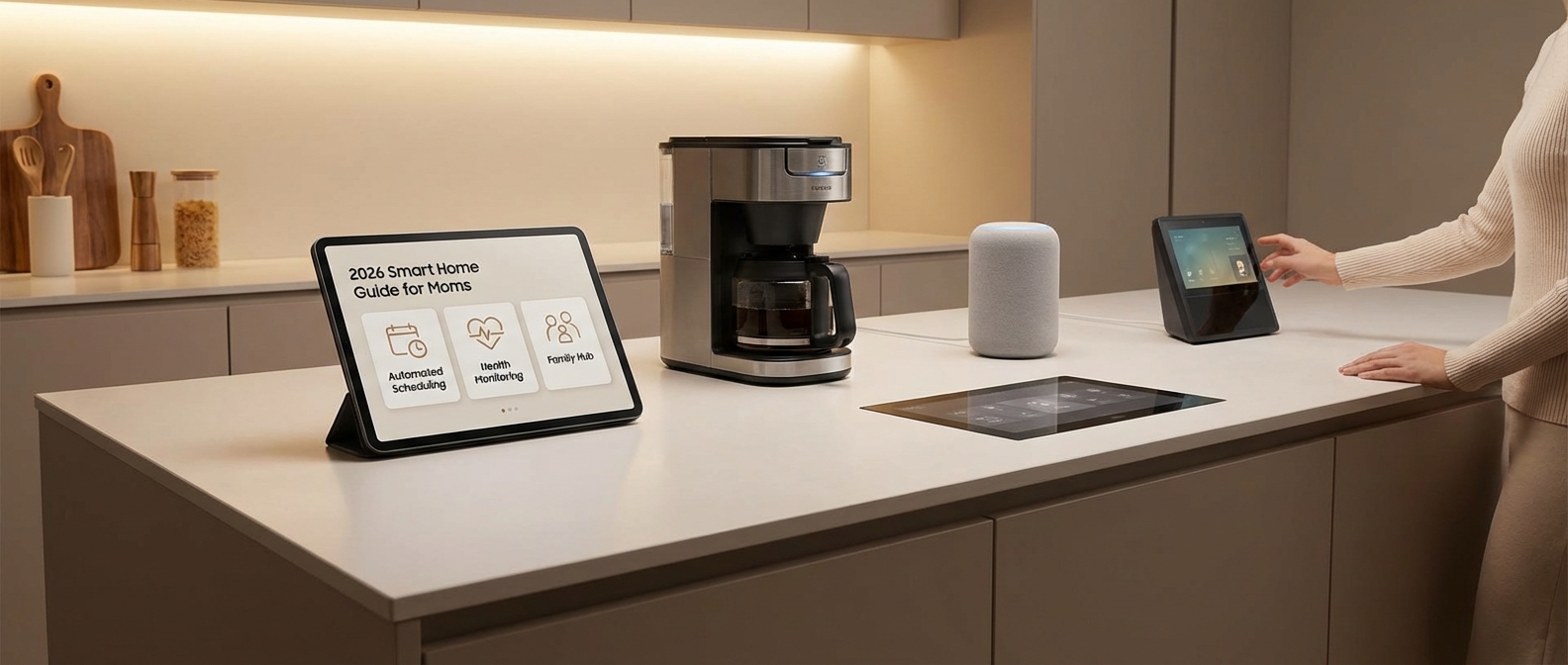
Why Every Mom Needs a 'Virtual Co-Parent' in 2026
Why Every Mom Needs a "Virtual Co-Parent" in 2026
A "Virtual Co-Parent" ecosystem systematically offloads the cognitive burden of household management by automating repetitive logistics. In 2026, generative AI and seamless Matter integration allow smart homes to anticipate family needs rather than just react to commands. This shift delivers tangible smart home ROI by converting hours of repetitive chores into quality family time.
The Invisible Burden
Motherhood often feels like running a logistics corporation where the CEO is also the janitor. You carry the crushing weight of the mental load: remembering school theme days, tracking grocery inventory, and managing the emotional climate of the home. It is an invisible tax on your energy.
A smart home is no longer a collection of novelty gadgets. It is a functional infrastructure designed to buy back your time. By delegating the "remembering" to an automated system, you move from reactive chaos to proactive calm.
2026 Tech: The End of Compatibility Headaches
Two major advancements have defined the 2026 landscape for parents:
- True AI Integration: Your home assistant now understands context. It doesn't just set a timer; it suggests adjusting the thermostat because the baby is sleeping and the room is overheating.
- The Matter Protocol: The days of checking "Works with..." labels are over. Devices from Apple, Google, and Amazon now interoperate flawlessly, making setup plug-and-play.
Comparing the Old Way vs. The Virtual Co-Parent
The home automation benefits become undeniable when you look at the operational differences between a standard home and a 2026 smart ecosystem.
| Responsibility | The "Manual" Mom (Old Way) | The 2026 "Virtual Co-Parent" |
|---|---|---|
| Morning Routine | Shouting to wake kids, manually checking weather, rushing breakfast. | Lights fade up naturally at 6:45 AM, AI reads the forecast, coffee brews automatically. |
| Grocery Lists | Mental math in the aisle; forgetting milk. | Fridge cameras track inventory; AI auto-populates the order for review. |
| Security | Wondering if the garage is closed while driving away. | Geofencing locks doors and arms the alarm when the last phone leaves the perimeter. |
| Energy Management | Constantly turning off lights in empty rooms. | Presence sensors handle lighting and HVAC instantly to lower bills. |
Building Your System
To effectively reduce stress, you must select hardware that serves a specific purpose in your routine. For a detailed breakdown of the hardware required to achieve this level of automation, read our analysis of 7 essential devices for perfect family organization.
Implementing these tools creates a buffer against burnout. When your house handles the logistics, you get to handle the parenting.
Step 1: Choosing Your Ecosystem (The Brain)
Step 1: Choosing Your Ecosystem (The Brain)
Selecting the right ecosystem acts as the central nervous system for your smart home, dictating how you interact with your house daily. While the Matter protocol 2026 standards have unified hardware compatibility across brands, your choice of a smart home hub—Alexa, Google, or Apple—ultimately defines your family's user interface and data privacy levels.
The "Matter" Revolution
In the past, moms had to worry if a specific smart lock would talk to their smart speaker. In 2026, that headache is gone. The Matter protocol 2026 update ensures that devices from different manufacturers speak the same language locally, without relying on the cloud. This means your ecosystem choice is no longer about hardware compatibility; it is strictly about the "assistant" experience and how they handle your family's data.
The Big Three: A Mother’s Perspective
When debating Apple HomeKit vs Alexa or Google Home, you are essentially balancing convenience against privacy. Each ecosystem offers distinct advantages for managing a busy household.
- Amazon Alexa: The administrative assistant. Alexa remains the leader in logistics. For moms, features like "Drop In" (functioning as an instant intercom to kids' rooms) and seamless shopping list integration are lifesavers. However, Amazon’s business model relies on commerce and data, meaning your usage habits are monetized.
- Apple HomeKit: The privacy fortress. If you are concerned about smart speakers recording your children, Apple is the only viable choice. HomeKit processes voice commands locally on the device rather than in the cloud. It is secure and stable, though Siri generally lags behind competitors in conversational intelligence.
- Google Home: The information hub. If your family life revolves around Google Calendar, this integration is unbeatable. Google Assistant is superior for answering homework questions and managing complex schedules, but like Amazon, it thrives on data collection.
Ecosystem Comparison Matrix
| Ecosystem | Best For... | The "Mom Factor" (Pros) | Privacy Score |
|---|---|---|---|
| Apple HomeKit | Security-Conscious Families | Secure Video storage (HKSV); strict data protection; easy setup for iPhone users. | High |
| Amazon Alexa | Logistics & Management | "Whisper Mode" for late nights; superior intercom features; massive third-party skill library. | Low |
| Google Home | Education & Scheduling | Context-aware answers for curious kids; seamless family calendar visualization. | Medium |
Making the Decision
Don't overthink the hardware; focus on the software. If you already use iPhones, the friction of leaving the Apple ecosystem is likely not worth the smarter AI of Google. Conversely, if you rely on Prime delivery for household staples, an Echo Show in the kitchen is invaluable.
Once you have selected your "brain," you can begin adding the "limbs"—the sensors, locks, and lights that automate your day. For a deeper look at the hardware that actually reduces mental load, check out our guide on essential devices for perfect family organization.
Choose the hub that aligns with your parenting philosophy: total privacy or total convenience.
Apple HomeKit: Best for Privacy-Conscious Moms
Apple HomeKit: Best for Privacy-Conscious Moms
If you are figuring out how to set up a smart home for moms who prioritize digital safety, the Apple ecosystem offers an unmatched fortress. Unlike competitors that often monetize user data, Apple HomeKit processes voice commands and automation logic locally on your device or home hub (HomePod or Apple TV). This architecture ensures that sensitive family data—from video feeds to daily routines—never leaves your home without end-to-end encryption.
Why the iPhone Ecosystem Wins on Usability
For the millions of moms already carrying an iPhone, the learning curve here is non-existent. The integration is seamless. You do not need to download obscure third-party apps or manage complex configurations.
- Instant Setup: In 2026, adding a device is as simple as scanning a Matter QR code with the camera. The iPhone automatically detects the accessory and adds it to the Wi-Fi network.
- Control Center Access: Lights, locks, and cameras are accessible directly from the iOS Control Center or the Lock Screen.
- Siri Intelligence: With the latest updates, Siri understands context better than ever. You can say, "Siri, is the back door locked?" while driving, and get an instant, accurate status report via CarPlay.
Key Features for Family Security
Apple has doubled down on features that specifically assist parents in managing a household securely.
| Feature | Benefit for Moms | 2026 Capability |
|---|---|---|
| HomeKit Secure Video | Analyzes footage locally on your Home Hub, not in the cloud. | Distinguishes between family members, pets, and package deliveries with 99% accuracy. |
| Apple Home Key | Unlocks smart locks using an iPhone or Apple Watch. | Tap-to-unlock works even if the phone battery is dead (Power Reserve mode). |
| Intercom | Broadcasts messages to HomePods in specific rooms. | "Dinner is ready" announcements play instantly in kids' rooms without shouting. |
| Adaptive Lighting | Adjusts light temperature throughout the day. | Automatically removes blue light in the evening to help kids wind down for bed. |
The Matter Advantage
The smart home landscape has stabilized significantly this year. Thanks to the maturity of the Matter standard, HomeKit is no longer a "walled garden" with limited hardware choices. You can now buy affordable sensors and plugs that work flawlessly with Apple Home, provided they support Matter over Thread.
Essential Hardware for the Apple Mom
To maximize this setup, focus on devices that leverage Thread for speed and reliability.
- The Hub: A HomePod mini or Apple TV 4K is non-negotiable. It acts as the brain, connecting your devices to the internet securely.
- Smart Locks: Look for locks supporting Home Key for keyless entry when your hands are full of groceries.
- Organization Tools: Integrating the right hardware is vital. For a deeper dive into hardware selection, read our guide on indispensable devices for perfect family organization.
By sticking to the HomeKit framework, you build a smart home that serves the family without spying on it. It provides the automation moms need with the security they demand.
Amazon & Google: Best for Hands-Free Help
When learning how to set up a smart home for moms, selecting the right voice assistant is the most critical decision you will make. These platforms serve as your household's operating system, actively managing the invisible mental load of parenting by capturing tasks, syncing schedules, and answering questions the moment they pop into your head.
The Battle for the Kitchen Counter
In 2026, the distinction between Amazon Alexa and Google Home has sharpened. Both have integrated advanced Large Language Models (LLMs), moving beyond simple command-response interactions to conversational assistance.
For moms managing a bustling household, the choice often comes down to your existing digital ecosystem. If your life lives in Gmail and Google Calendar, the Google Nest ecosystem offers frictionless integration. If you rely on Prime delivery and value broad third-party device compatibility, Amazon remains the leader.
Managing the Chaos: Lists and Calendars
The primary value of a hands-free assistant is capturing data before you forget it. You cannot afford to unlock a phone to type "buy milk" while holding a toddler.
- Unified Grocery Lists: Configure your device to sync directly with your phone. "Alexa, add almond milk" should instantly update the widget on your iPhone or Android device.
- Visual Calendars: Smart displays (like the Echo Show 15 or Google Pixel Tablet) act as digital command centers. They display color-coded family schedules, ensuring everyone knows who has soccer practice and who has a dentist appointment.
- Routine Automation: Set up morning announcements. At 7:00 AM, the assistant can recite the day’s weather, the school lunch menu, and specific reminders for each child.
Integrating these assistants is a foundational step when selecting essential connected devices for family organization, as they bind all other hardware together.
The New Tutor: AI-Powered Homework Help
The days of struggling to recall 5th-grade long division methods are over. In 2026, both Amazon and Google utilize generative AI to assist with homework, acting as an on-demand tutor rather than just a search engine.
- Contextual Explanations: Instead of just reading a Wikipedia entry, Google's Gemini-powered assistant can break down complex topics. You can ask, "Hey Google, explain the water cycle to a 7-year-old."
- Math Assistance: Amazon’s updated visual interface allows kids to hold a math worksheet up to the camera on an Echo Show. The AI identifies the problem type and verbally walks the student through the solving process without giving the answer outright.
Feature Comparison: Amazon vs. Google
Use this table to decide which ecosystem fits your parenting style.
| Feature | Amazon Alexa (Echo Ecosystem) | Google Home (Nest Ecosystem) |
|---|---|---|
| Best For | Shopping, Prime integration, broad device control. | Information retrieval, complex queries, Google Workspace users. |
| Calendar Sync | Good. Requires setup skills to visualize distinct calendars. | Superior. Native integration with Google Calendar is flawless. |
| Homework Help | Visual. Great for scanning worksheets via camera. | Conversational. Best for explaining concepts via Gemini AI. |
| List Management | Excellent. Syncs with AnyList, Todoist, and iOS Reminders. | Strong. Deep integration with Google Keep and Tasks. |
| Voice Recognition | High accuracy for distinct commands. | Better at understanding context and follow-up questions. |
Implementation Strategy
To maximize efficiency, place a smart speaker or display in high-traffic zones: the kitchen, the master bedroom, and the entryway. This ensures that no matter where you are when you remember a task, you can offload it instantly. This hands-off approach is the secret to reclaiming your mental bandwidth.
Step 2: Automating Security & Peace of Mind
Step 2: Automating Security & Peace of Mind
True home security in 2026 goes beyond loud sirens; it is about establishing a responsive, automated perimeter that manages access and monitors vulnerabilities without your constant input. By integrating biometric smart locks, AI-driven video doorbells, and instant-response sensors, you create a safety net that filters out distractions—like solicitors during nap time—while alerting you immediately to critical events, such as a toddler opening a side door.
The Gatekeeper: Smart Locks for Families
Stop hiding keys under the mat. Modern smart locks for families offer granular control over who enters your home and when. In 2026, the standard is no longer just a keypad; it is about temporary, time-fenced digital keys.
If you employ a dog walker or a cleaning service, you can generate a unique code that functions strictly between 11:00 AM and 1:00 PM on Tuesdays. Once the service provider leaves, the code deactivates. You receive a notification the moment the door unlocks, confirming that help has arrived. This automation removes the mental load of coordinating hand-offs and ensures you never compromise your home's physical security for the sake of convenience.
The Digital Bouncer: Video Doorbells
The video doorbell has evolved from a simple camera into an intelligent screening tool. Current models utilize on-device AI to distinguish between a delivery courier, a known neighbor, and an unfamiliar solicitor.
For moms, the "Silent Mode" or "Nap Mode" integration is non-negotiable. When activated, the physical chime is disabled. Instead, the doorbell sends a gentle vibration to your smartwatch or a silent push notification to your phone. You can verify who is at the door via high-definition video feed and dismiss solicitors without a single sound waking the baby.
The Perimeter Net: Child Safety Sensors
Toddlers are fast, silent, and notoriously curious. Child safety sensors (contact sensors) are your fail-safe against wandering little ones. These small, two-part magnetic devices attach to doors, windows, and even pool gates.
When the magnetic connection is broken, the reaction should be immediate and audible. Configure your smart hub to announce the specific location via smart speakers—"Back Door Opened"—rather than a generic beep. This allows you to react instantly, intercepting a child before they reach the street or the swimming pool.
Comparison: Security Device Features for Parents
To help you prioritize your setup, here is a breakdown of how these devices serve specific parenting needs in 2026.
| Device Type | Primary "Mom Benefit" | 2026 Standard Feature | Best Installation Spot |
|---|---|---|---|
| Smart Lock | Remote access for service workers | Fingerprint & Time-fenced codes | Front Door / Garage Entry |
| Video Doorbell | Screening visitors silently | Facial Recognition & Package Detection | Front Door |
| Contact Sensor | Preventing toddler escapes | Instant Voice Announcements (Smart Speaker) | Exterior Doors / Pool Gates |
| Motion Sensor | Automating hallway lighting | Presence Detection (mmWave technology) | Hallways / Staircases |
Once you have secured the perimeter, the next logical step is streamlining the chaos inside the home. For a broader look at the hardware that keeps a household running smoothly, read our breakdown of connected devices for perfect family organization.
Integrating the Ecosystem
These devices must talk to each other to be effective. A standalone sensor is useful; a sensor that triggers the hallway lights and sends a "Critical Alert" to your phone is a lifesaver. Ensure your hub (whether HomeKit, Matter, or equivalent) is configured to override "Do Not Disturb" settings for door sensor alerts during the day. This guarantees that even if you are on a work call, you will know if the front door opens.
Step 3: The 'Morning Chaos' Solution (Lighting & Voice)
Step 3: The 'Morning Chaos' Solution (Lighting & Voice)
Solve morning chaos by layering wake up light automation with targeted voice prompts. Instead of acting as the "human alarm clock," configure your smart home ecosystem to gradually brighten bedrooms to simulate sunrise, followed by automated voice announcements for weather, breakfast, and bus departures. This reduces parental stress and fosters independence.
The Circadian Wake-Up
It is 6:30 AM. In a standard home, this is when the shouting begins. In a smart home, the house wakes the kids for you.
Sudden, bright light triggers cortisol spikes and grumpiness. To avoid this, set your smart lighting routines to trigger a "Sunrise Effect." Using platforms like Apple Home, Alexa, or Google Home, program the bedroom bulbs to fade in from 0% (Red/Warm Amber) to 100% (Cool Daylight) over a 30-minute duration.
This gradual shift suppresses melatonin production biologically. By the time the actual alarm sounds, your child’s brain is already in a light sleep stage, making waking up physically easier.
The Voice Assistant as the "Town Crier"
Once the lights are fully bright, morning routine automation takes over the verbal load. Stop repeating "put on your shoes" five times. Let the AI do it.
Configure your smart speakers (Echo, Nest, or HomePod) to broadcast announcements to specific rooms at specific times. This keeps the timeline moving without your direct intervention.
Recommended 2026 Morning Automation Schedule:
| Time | Action | Device | Purpose |
|---|---|---|---|
| 6:30 AM | Lights fade in (0% to 50%) | Smart Bulbs (Kids' Room) | Gently breaks deep sleep cycles. |
| 6:50 AM | Lights reach 100% Cool White | Smart Bulbs | Signals "Active Time" to the brain. |
| 7:00 AM | Voice Announcement: "Good morning. It is 45°F. Wear a jacket." | Smart Speaker | Provides critical weather context. |
| 7:15 AM | Voice Announcement: "Breakfast is on the table." | Kitchen & Kids' Speaker | Synchronizes the family meal. |
| 7:40 AM | Color Change: Lights turn Green | Smart Bulbs (Living Room) | Visual cue that it is time to leave. |
Hardware Considerations
To execute this seamlessly, you need reliable hardware that supports Matter (the 2026 standard for interoperability). If you are currently upgrading your setup, ensure your hubs can handle multi-device routines without latency. For a comprehensive look at the hardware required to support these routines, check our guide on essential devices for perfect family organization.
By offloading the repetitive enforcement of time to your smart home, you reclaim your morning coffee time. You stop being the adversary and start being the parent.
Step 4: Smart Cleaning & Appliances (The Time Savers)
Step 4: Smart Cleaning & Appliances (The Time Savers)
Smart cleaning technology in 2026 has evolved beyond simple scheduling; it now prioritizes autonomy and context awareness. By integrating AI-driven obstacle recognition and synchronized laundry cycles, these devices actively reduce your mental load, reclaiming hours of your week so you can focus on family rather than household maintenance.
The Evolution of the Robot Vacuum
The days of rescuing your vacuum from a stray sock or a labyrinth of chair legs are over. Modern navigation systems utilize advanced LiDAR combined with on-board cameras to identify and bypass temporary hazards. If you are looking for the best robot vacuum for pet hair and toys, prioritize models equipped with NPU (Neural Processing Unit) chips. These units process images locally to distinguish between a dust bunny and a discarded Lego brick instantly.
Key Features to Look For in 2026:
- AI Obstacle Avoidance: specifically trained on common household clutter (cables, shoes, pet waste).
- Self-Emptying & Refilling Docks: The dock should handle dust disposal and water refilling for at least 60 days.
- Zone Cleaning via Voice: "Clean under the kitchen table" should be a recognized command without opening an app.
| Feature | Standard Vacuum (2023 Era) | AI-Powered Vacuum (2026 Standard) |
|---|---|---|
| Navigation | Bump-and-turn or basic mapping | Real-time 3D Obstacle Avoidance |
| Hazard Reaction | Gets stuck on socks/cables | Identifies and drives around them |
| Maintenance | Manual bin emptying | Auto-empty, auto-wash, auto-dry mop |
| Pet Hair | Tangles in brush roll | Anti-tangle rubber rollers & high suction |
Laundry Automation: No More Re-Washing
The "forgotten load" is a classic source of frustration for busy moms. Laundry automation has solved the issue of wet clothes developing a musty smell because you got distracted by a work call or a toddler meltdown.
Smart appliances now communicate directly with your smartphone to keep your workflow moving.
- Remote Cycle Management: Start the washer from the playground so the cycle finishes exactly when you walk through the door.
- Keep-Fresh Modes: If you don't unload immediately, the drum tumbles intermittently with fresh air circulation to prevent odors for up to 12 hours.
- detergent Auto-Dispensing: Bulk tanks measure the exact amount of soap needed based on load weight and fabric type, eliminating waste and sticky spills.
For a broader look at how to streamline your home ecosystem beyond cleaning, read our guide on essential connected devices for family organization.
By offloading these repetitive tasks to intelligent machines, you aren't just buying appliances; you are buying back your time. Ensure your devices support the Matter standard to guarantee they communicate seamlessly with your central hub.
Step 5: The Smart Nursery & Kid Monitoring
Step 5: The Smart Nursery & Kid Monitoring
A smart nursery setup in 2026 goes beyond simple video feeds; it creates a responsive ecosystem that actively aids infant development and parental peace of mind. By integrating AI-driven monitoring with automated environmental controls, you transform the nursery from a static room into a supportive partner that manages sleep hygiene and health metrics autonomously.
The Evolution of the Smart Baby Monitor
The grain video feeds of the past are obsolete. The modern smart baby monitor utilizes computer vision and radar technology to track breathing motion without wearable sensors. These devices now act as comprehensive sleep consultants.
Top-tier 2026 models analyze crib positioning and sleep cycles to provide predictive data. You don't just see that your baby is awake; you receive a notification 10 minutes before they wake up based on micro-movements, allowing you to prepare a bottle before the crying starts.
Key Features to Look For:
- Split-Screen Multitasking: View the nursery while browsing emails on your phone.
- Growth Analytics: Cameras that measure height and sleep positioning over time.
- Local Processing: AI detection happens on the device, not the cloud, for enhanced privacy.
Environmental Control: Humidifiers and Air Quality
Maintaining the correct humidity is vital for preventing congestion in infants. Smart humidifiers now sync with room sensors. If the nursery’s humidity drops below 40%, the humidifier activates automatically.
You should opt for devices that offer:
- Phone Control: Adjust mist levels from your bed without risking a creaky floorboard.
- Auto-Cleaning Cycles: UV-C light integration prevents mold and bacteria buildup in the tank.
- Thermostat Integration: The unit communicates with your smart thermostat to ensure the room doesn't become clammy.
Sleep Training Gadgets and Sound Machines
Sleep training is exhausting, but automation reduces the mental load. Modern sound machines combine noise generation with programmable light cues, functioning as essential sleep training gadgets.
In 2026, these devices offer "Time-to-Rise" programs that are fully customizable via app. You can program a soft amber glow for bedtime and a green light for "okay to wake," helping toddlers understand boundaries visually. Control is paramount; ensure you can adjust volume and hue remotely to soothe a stirring child without entering the room.
Comparison: Standard vs. AI-Integrated Nursery Tech
| Feature | Standard Nursery Devices | 2026 AI-Integrated Setup |
|---|---|---|
| Monitoring | Video and Audio only | Breath tracking, rollover alerts, sleep analytics |
| Climate | Manual humidifier adjustment | Auto-adjusts based on hygrometer readings |
| Alerts | Sound/Motion detection | Predictive wake-up & cry translation algorithms |
| Connectivity | Standalone units | Integrated into HomeKit/Google Home/Alexa |
| Data | None | Weekly sleep reports and health trends |
Integrating the Ecosystem
The true power of these devices lies in their connection to your central smart home hub. For example, when the smart baby monitor detects the baby is asleep, it can trigger the rest of the house to enter "Quiet Mode"—dimming lights and lowering smart speaker volumes.
Building this level of automation requires a solid foundation. For a broader look at how to structure your home's ecosystem for efficiency, read our guide on essential connected devices for family organization.
Essential Privacy Settings for Families
Essential Privacy Settings for Families
Digital childproofing goes beyond physical outlet covers; it demands securing the invisible infrastructure of your home. To ensure smart home privacy, you must segregate IoT devices on a secondary network, disable invasive voice recording features, and rigorously audit permissions to stop tech giants from building data profiles on your children.
Secure Your Perimeter: Network Segmentation
The router is your digital front door. In 2026, the standard for a secure wifi network involves isolation. Do not connect your smart fridge, baby monitor, or robot vacuum to the same network as your banking laptop.
Most modern Wi-Fi 7 routers offer easy VLAN (Virtual Local Area Network) creation. Set up a dedicated "IoT Guest Network" exclusively for smart home gadgets. This creates a firewall; if a vulnerability is found in your smart thermostat, the hacker remains trapped in that segment and cannot access the personal data on your phones or computers.
The Privacy Audit Checklist
Manufacturers often default to the most invasive settings to train their AI models. Use this table to configure your devices immediately after unboxing.
| Feature | Default Risk | Recommended Action |
|---|---|---|
| Voice Recording | Audio clips are saved and reviewed by humans for "accuracy." | Go to Privacy Settings > Delete voice history automatically and opt-out of human review programs. |
| Camera Drop-In | Allows approved contacts to view feeds instantly without "answering." | Disable completely on cameras inside the home, specifically in bedrooms and play areas. |
| Facial Recognition | Builds biometric profiles of family members, including minors. | Turn off facial tagging. Use generic labels like "Person Detected" rather than specific names. |
| Location Tracking | Geofencing tracks precise movements of all family members. | Restrict location access to "While Using App" on parent devices only; disable on kids' tablets. |
Protecting Kids' Data
Data brokers aggressively aggregate information. When setting up accounts for children or adding them to a family ecosystem, protecting kids data requires obfuscation.
- Use Pseudonyms: Never use a child’s real full name or exact birthdate when registering a device (like a smart toothbrush or tablet). Use a nickname and a fake year (e.g., January 1, 1900) to minimize profiling.
- Hardware Mutes: Software toggles can fail. For smart speakers in sensitive areas, rely on the hardware mute switch. If the red LED isn't glowing, the microphone is active.
- Local Storage First: Whenever possible, choose cameras and hubs that process video locally (Edge AI) rather than uploading footage to the cloud. This keeps sensitive family moments off external servers.
Once you have established these security protocols, you can safely integrate new tech into your routine. For recommendations on hardware that balances utility with safety, review our guide on 7 indispensable devices for perfect family organization.
Managing Third-Party Skills
In 2026, smart assistants are platforms for third-party apps (Skills or Actions). These often have weaker security standards than the parent company (Amazon, Google, or Apple).
Periodically audit the "Skills" enabled on your account. If a "Bedtime Story" app requires access to your contact list or precise location, revoke it immediately. There is no functional reason for a storytelling app to know where you live. Keep your digital ecosystem lean to keep it safe.
Budgeting Your Smart Home Build in 2026
Budgeting Your Smart Home Build in 2026
A functional smart home cost ranges from under $200 for a "Starter Kit" to over $2,000 for a fully automated ecosystem. You do not need to buy everything at once. By prioritizing modular devices that support the Matter standard, you can scale your setup incrementally, ensuring every dollar spent adds immediate value to your daily routine without breaking the bank.
The Strategic Approach to Costs
The misconception that automation requires a massive upfront investment often deters parents. In reality, budget home automation works best when built slowly. This allows you to test which ecosystems (Apple Home, Google Home, or Amazon Alexa) fit your family's dynamic before committing to expensive hardware.
We have broken down the investment into three strategic tiers designed specifically to alleviate the mental load of motherhood.
Tier 1: The Starter Kit (Under $200)
This tier focuses on high-impact, low-effort changes. The goal here is hands-free control of your environment.
- Smart Hub ($50 - $100): A smart speaker or small display acts as the brain. In 2026, ensure it is a Matter controller to guarantee future compatibility.
- Smart Plugs ($15 - $30): Turn "dumb" appliances smart. Use one for the coffee maker (wake up to fresh coffee) and one for the straightener (never worry if you left it on).
- Smart Bulbs ($20 - $40): Install these in the nursery or hallway. You can dim them via voice command during late-night feedings without fumbling for switches.
Tier 2: The Helpful Home ($500 - $1,000)
At this stage, you introduce security and energy efficiency. These upgrades often pay for themselves over time through utility savings.
- Smart Thermostat ($130 - $250): Devices like the Ecobee or Nest learn your schedule and adjust temperatures automatically, saving money when the house is empty.
- Video Doorbell ($100 - $180): Screen visitors from your phone or smart display. This is a safety essential for moms home alone with infants.
- Smart Display for Organization ($150): A central command center in the kitchen manages calendars and meal plans. As you expand to this level, integrating connected devices for family organization becomes crucial for managing busy schedules.
Tier 3: The Ultimate Mom Pad ($2,000+)
This is the "set it and forget it" level. These are the best smart devices for moms who want to outsource household chores to technology.
- Advanced Robot Vacuum/Mop ($800 - $1,200): 2026 models feature AI-driven obstacle avoidance (dodging toys and socks) and self-cleaning docks that require maintenance only once a month.
- Smart Locks ($200 - $300): Grant keyless entry to the kids or the dog walker and receive notifications when the door opens.
- Automated Window Shades ($500+): Program shades to open with the sunrise or close during nap time automatically.
Cost vs. Benefit Breakdown
| Tier | Estimated Budget | Key Devices Included | Primary Benefit for Moms |
|---|---|---|---|
| The Starter Kit | < $200 | Smart Speaker, 2 Plugs, 2 Bulbs | Convenience: Hands-free control when your hands are full. |
| The Helpful Home | $500 - $1,000 | Thermostat, Video Doorbell, Hub | Security & Savings: Peace of mind and lower energy bills. |
| The Ultimate Mom Pad | $2,000+ | Robot Vacuum, Smart Locks, Shades | Time Reclamation: Outsourcing cleaning and routines to AI. |
Start with the essentials. Once you experience the relief of turning off the entire house with a single voice command, you can allocate funds for the more advanced tiers.
Final Thoughts: Start Small, Think Big
Final Thoughts: Start Small, Think Big
The hallmark of a successful 2026 smart home isn't the hardware quantity; it is the mental load reduction. Technology must serve you, not the other way around. When learning how to set up a smart home for moms, the most effective strategy is to reject the pressure of a complete overhaul. Instead, focus on a modular approach that scales with your family's changing needs.
Identify a single friction point in your daily routine and solve it ruthlessly. Do not try to automate the entire house in a weekend. Pick one category from the table below to start your journey:
| Pain Point | First Step Solution | The "Mom Benefit" |
|---|---|---|
| Morning Chaos | Smart Bulbs + Voice Assistant Routine | Gentle wake-ups for kids; automated weather briefings while you pack lunches. |
| Security Anxiety | Smart Lock + Video Doorbell | Remote access for latchkey kids; visual verification of deliveries without opening the door. |
| Mental Load | Smart Displays (Family Hubs) | Centralized shared calendars and chore charts visible to the whole family. |
Once you stabilize one domain, the ecosystem grows naturally. You don't need to engineer the perfect system overnight. If your primary goal is streamlining schedules and reducing household friction, review our guide on essential devices for perfect family organization to see what hardware pairs best with these initial setups.
Build for peace of mind. Let the house handle the repetitive tasks so you can focus on the moments that actually matter.