
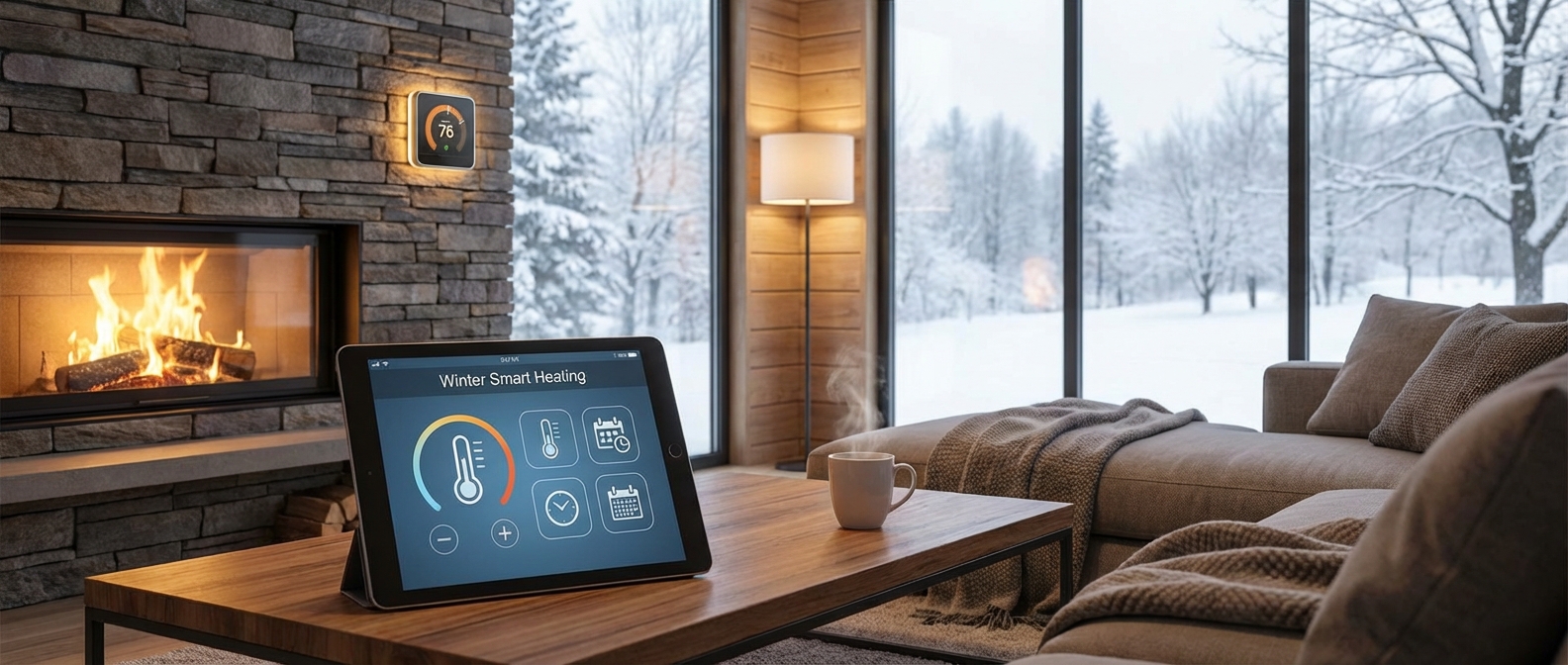
Why Your Old Heating Strategy Won't Cut It in 2026
Why Your Old Heating Strategy Won't Cut It in 2026
Reliance on manual thermostats and static schedules fails in 2026 because volatile energy rates demand real-time adaptability, not guesswork. Old strategies waste money heating empty rooms. Integrating smart home automation adjusts your environment based on weather and family location, significantly lowering heating costs 2026 while eliminating the mental burden of constantly managing the thermostat.
It is January 9, 2026. If you have already glanced at your projected utility bill for the month, you know the reality: energy prices have continued their upward trajectory. The "set it and forget it" approach of the early 2020s has become a financial liability.
For the modern mother, the failure of old heating strategies isn't just about money; it is about cognitive capacity. "Dumb" heating relies on you. You must remember to turn the dial down before the school run. You must remember to turn it up before the baby wakes. That is one more task on an already overflowing mental checklist. When you forget, you pay for it.
The Shift: Manual vs. Automated Intelligence
Traditional heating systems operate on a binary logic: on or off, based on a single sensor in a hallway you rarely use. Energy efficiency in 2026 requires a decentralized, intelligent approach.
We need to stop heating empty houses. If you are still heating the guest room to 72°F while everyone is in the kitchen, you are burning cash. Smart ecosystems now utilize presence detection and geofencing to ensure heat follows the family, not the floor plan.
Here is how the paradigm has shifted this winter:
| Feature | The Old Strategy (Manual) | The 2026 Smart Strategy (Automated) |
|---|---|---|
| Control | Manual dial or rigid 7-day schedule. | AI-driven adaptability based on routine. |
| Zoning | One temperature for the whole house. | Room-by-room control (Smart TRVs). |
| Reaction | Reacts only when the house is already cold. | Pre-heats based on weather forecasts. |
| Mental Load | High: You must remember to adjust it. | Zero: The house manages itself. |
| Cost Impact | High waste; pays for heat when nobody is home. | Optimized spend; slashes heating costs 2026. |
Automation is Self-Care
The goal is not just to install gadgets, but to reclaim your time. By offloading climate control to an algorithm, you remove a daily stressor. You ensure the nursery is warm for nap time without ever touching a button.
For a deeper dive into reducing utility expenses across the board, read our guide on Smart Home Energy Saving for Families: How to Slash Bills in 2026.
Adaptation is the only way to beat the rates this year. Stop managing your thermostat and let your home manage you.
Optimize Your Smart Thermostat Settings
Optimize Your Smart Thermostat Settings
Optimizing your smart thermostat settings requires moving beyond a static 7-day schedule to a dynamic, responsive system. True efficiency is achieved by combining geofencing for occupancy detection with precise temperature differentials to prevent short-cycling. By configuring your device to react to your physical location rather than just the clock, you can reduce HVAC runtime by up to 15% without sacrificing comfort.
The Great Debate: Fixed Scheduling vs. Presence Detection
Many homeowners install a device and mimic the rigid programming of old-school programmable thermostats. This fails to utilize the "smart" in your hardware. In 2026, the gold standard is a hybrid approach.
Fixed Scheduling works best for predictable events, specifically sleep. You know roughly when the family goes to bed and wakes up. Set these hard anchors to drop the temperature at night for better sleep hygiene. For creating these specific automation flows, check out our guide on 21 Best Smart Home Routines for Moms in 2026.
Presence Detection (Geofencing) is superior for daytime heating. Life is unpredictable. If you run errands or stay late at work, a fixed schedule might heat an empty house for hours. Geofencing uses your smartphone's location to trigger "Away" or "Eco" modes automatically when the last person leaves the perimeter.
| Feature | How It Works | Best Used For | Energy Efficiency Score |
|---|---|---|---|
| Fixed Schedule | Changes temp at specific set times. | Sleep/Wake cycles; consistent work-from-home days. | Moderate |
| Geofencing | Uses phone GPS to detect when the house is empty. | Irregular schedules; weekends; frequent errands. | High |
| AI Learning | Algorithms analyze habits to auto-program. | Users who prefer a "hands-off" setup. | High |
Mastering the "Learning Thermostat" Algorithms
A learning thermostat attempts to predict your comfort needs, but it requires initial guidance. For the first two weeks of 2026, manually adjust the temperature every time you feel discomfort. The algorithm treats these manual overrides as data points, eventually building a thermal profile of your home.
However, be wary of "Ghost Heating." If your learning thermostat senses motion from a pet while you are away, it might trigger the HVAC. Ensure you configure the sensitivity settings to ignore movement under a certain height or weight if your hardware supports it.
Advanced Configuration: Hysteresis and Sensors
To truly slash bills, you must dig into the installer settings (often hidden in the "Advanced" menu).
- Adjust the Swing (Differential): This controls how much the temperature must deviate from the setpoint before the heater engages. A tight swing (0.5°F) keeps comfort high but forces the system to turn on and off constantly (short-cycling), which ruins efficiency. Widen the swing to 1.0°F or 1.5°F. Your system runs longer but less frequently, which is more efficient for heat pumps and furnaces.
- Prioritize Occupied Rooms: If you have remote sensors, configure your smart thermostat settings to ignore the thermostat unit itself (often in a hallway) and prioritize the temperature in the living room or nursery during the day. This ensures heat goes where the people are. For broader strategies on reducing consumption, read our deep dive on Smart Home Energy Saving for Families: How to Slash Bills in 2026.
By shifting from rigid timeslots to location-based automation and widening your temperature thresholds, you stop heating empty space and extend the lifespan of your HVAC system.
Mastering Geofencing for Busy Families
Mastering Geofencing for Busy Families
Multi-user geofencing ensures your smart thermostat only enters "Away" mode when the last family member leaves the defined radius. By tracking multiple smartphones, the system prevents heating an empty house while guaranteeing the heat kicks on the moment the first person crosses the perimeter toward home.
Stop relying on a rigid schedule. Life with kids is unpredictable. You might run errands while your partner stays home with a sick toddler. If your thermostat tracks only your phone, the house freezes the moment you drive away. This is where multi-user geofencing becomes essential. It synchronizes the location data of every adult in the house to create a fail-safe presence detection system.
How the Logic Works:
- Departure: The system waits. If Mom leaves, the heat stays on. If Dad leaves ten minutes later, the system checks: "Is anyone else home?" If the answer is no, it triggers Eco/Away mode.
- Arrival: The system is aggressive. As soon as one authorized phone crosses the geofence boundary (usually 3-5 miles out), the thermostat begins pre-heating.
For a broader look at cutting costs beyond just heating, read our guide on Smart Home Energy Saving for Families: How to Slash Bills in 2026.
Troubleshooting Common Glitches
Location based heating relies entirely on your smartphone's status. A common panic point for parents is the "Dead Battery Scenario." If your phone dies while you are out, the app stops transmitting data.
Fortunately, modern 2026 thermostats are programmed with fail-safes. If a phone disconnects abruptly, the system typically maintains the last known state (Home) rather than switching to Away, ensuring you don't wake up to a freezing house if your phone died overnight. However, aggressive battery-saving modes on Android or iOS can kill background location access. Always set your thermostat app to "Always Allow" location access to prevent the heat from cutting out while you are sleeping.
Comparison: Geofencing vs. Other Methods
Not sure if geofencing is right for your specific setup? Compare the efficiency methods below.
| Detection Method | Best For | Pros | Cons |
|---|---|---|---|
| Multi-User Geofencing | Irregular schedules (freelancers, stay-at-home parents). | Maximizes savings; zero manual adjustment needed. | Requires all adults to have the app; phone battery dependent. |
| Motion Sensors | Homes without smartphones or with guests/sitters. | Detects physical presence even without a phone. | Can trigger "Away" mode if you are reading quietly or sleeping. |
| Fixed Scheduling | predictable 9-5 routines. | Reliable; works without internet or location data. | Wastes energy if you stay late at work or leave early. |
| Manual Control | Vacation homes. | Total human control. | High risk of human error (forgetting to turn it down). |
Utilizing 'Eco' Modes Without Freezing
Eco mode optimization is not about turning your heating off; it is about finding the thermal balance between energy conservation and recovery time. For most insulated homes in 2026, the ideal setback temperature when the house is unoccupied is 62°F (17°C). Dropping below this threshold risks freezing pipes in extreme weather and forces your HVAC system to expend disproportionate energy reheating the cold thermal mass of your walls and furniture upon your return.
Many homeowners mistakenly believe that the lower they go, the more they save. However, if your home's internal temperature drops too low, your heating system—especially if you use a heat pump—may engage inefficient auxiliary heat strips to recover quickly. This spikes electricity usage, negating the savings gained during the "off" period.
Finding Your Temperature Sweet Spot
To maximize efficiency without sacrificing comfort, adhere to these target ranges based on activity levels.
| Scenario | Recommended Setting | Reasoning |
|---|---|---|
| Active / Home | 68°F - 70°F (20°C - 21°C) | Provides comfort while remaining efficient. Wear a sweater rather than bumping to 72°F. |
| Sleeping | 65°F - 66°F (18°C - 19°C) | Cooler temperatures promote better sleep hygiene and reduce overnight fuel consumption. |
| Away (Work/School) | 62°F (17°C) | The "floor" for savings. Prevents the house from becoming an icebox that takes hours to reheat. |
| Extended Vacation | 55°F (13°C) | Only safe for long periods to prevent pipe freezing. Requires a long recovery time upon return. |
Smart Implementation Strategies
Modern smart thermostats handle these transitions automatically, but they require correct initial programming.
- Gradual Recovery: Configure your thermostat to start heating 30 minutes before you arrive. This prevents the system from running at maximum capacity to bridge a massive temperature gap instantly.
- Geofencing: Utilize geofencing features that trigger the setback temperature only when all family members have left the perimeter.
- Zoning: If you have smart radiator valves or room sensors, apply the 62°F limit to unused guest rooms permanently, but keep the nursery or toddlers' rooms slightly warmer.
For a broader look at reducing consumption across your entire household, read our guide on Smart Home Energy Saving for Families: How to Slash Bills in 2026. Proper management of these modes ensures you aren't paying for heat no one is using, while ensuring you never walk into a freezer.
Zoned Heating: The Secret to Comfort in Every Room
Zoned Heating: The Secret to Comfort in Every Room
A zoned heating system allows you to customize temperatures for individual rooms rather than treating your entire house as a single climate. By decoupling your living spaces, you eliminate hot and cold spots, ensuring the nursery stays warm while the unused guest room remains cool, effectively slashing energy waste by up to 30%.
The "Hallway Fallacy"
Most traditional heating setups rely on a single flaw: the thermostat is usually located in a hallway. Your hallway doesn't need to be comfortable; your living spaces do.
A single thermostat in the hallway has no idea that the south-facing kitchen is boiling from oven heat or that the baby’s room is freezing due to a drafty window. It simply runs the boiler until the hallway hits 70°F. This inefficiency is a primary driver of high winter bills. For families, fixing this is about more than money—it's about safety. Ensuring a consistent temperature for little ones is vital (see our guide on 17 Best Smart Home Devices for Toddlers in 2026 for more climate safety tips).
The Hardware: TRVs vs. Room Sensors
To fix this, you need hardware that acts as the "nerve endings" of your home. You generally have two options depending on your heating infrastructure: Smart Radiator Valves or Smart Room Sensors.
Smart Radiator Valves (TRVs) are motorized knobs that replace standard valves on radiators. They communicate with your main hub to physically stop hot water from entering a radiator once that specific room reaches the target temperature.
Smart Room Sensors (common with Ecobee or Nest systems) detect temperature and occupancy. You can program your thermostat to ignore the hallway and run the heat based only on the sensor in the room you are currently using.
Comparison: Which Solution Fits Your Home?
| Feature | Smart Radiator Valves (TRVs) | Smart Room Sensors |
|---|---|---|
| Primary Function | Physically controls water flow to specific radiators. | Reports remote temperature to the central thermostat. |
| Best Heating Type | Hydronic (Hot water radiators). | Forced Air / Central HVAC. |
| Granularity | High. You can heat the bedroom only. | Medium. You heat the whole house until that specific room is warm. |
| Installation | DIY (Unscrew old valve, screw on new). | Peel-and-stick or shelf placement. |
| 2026 Standard | Matter/Thread support for instant response. | Long-range RF or WiFi connectivity. |
Strategic Zoning for Maximum Savings
You do not need to equip every single radiator to see a return on investment. Focus on the extremes.
- The Nursery: Install a sensor or TRV here first. Prioritize this zone at night.
- The Home Office: If you work from home, why heat the living room and kitchen from 9 AM to 5 PM? Set the office TRV to 70°F and let the rest of the house drop to 62°F.
- The Guest Room: Keep this valve permanently set to a frost-protection level (around 55°F) unless you have visitors.
By implementing granular control, you stop paying to heat empty space. This is a fundamental step in Smart Home Energy Saving for Families, ensuring every dollar spent on heating directly contributes to your actual comfort.
Smart TRVs vs. Room Sensors
Smart TRVs vs. Room Sensors
Smart Radiator Valves (TRVs) physically regulate hot water flow to create individual heating zones, whereas room sensors simply extend your main thermostat’s temperature reading to cold spots. For maximum efficiency in 2026, opt for TRVs to heat specific rooms independently; use sensors only if you need to prioritize comfort in a single drafty area at the expense of whole-home heating.
Understanding the distinction between TRV vs thermostat sensor technology is the difference between granular control and blunt force heating. A remote sensor tells your central thermostat, "The nursery is cold." The system responds by running the boiler until that specific room reaches the target temperature. The downside? It heats the entire house to warm one room. This solves comfort issues but often wastes energy.
A smart radiator thermostat, however, acts as an active gatekeeper. It replaces the manual knob on your radiator. When a room reaches the desired temperature, the TRV physically closes the valve, stopping hot water flow to that specific radiator while the boiler continues to service other rooms. This creates true "zoning" without expensive plumbing renovations.
If your primary goal is reducing overhead, this zoning capability is central to Smart Home Energy Saving for Families: How to Slash Bills in 2026.
Comparison: Which Hardware Fits Your Home?
| Feature | Smart Radiator Valve (TRV) | Remote Room Sensor |
|---|---|---|
| Primary Function | Active Control (Opens/Closes radiator valve) | Passive Feedback (Reports temp to main unit) |
| Heating Style | Zoning (Heats only specific rooms) | Averaging (Heats whole house based on one room) |
| Energy Efficiency | High (Prevents overheating unused rooms) | Medium/Low (May overheat warm rooms to fix cold ones) |
| Installation | Requires unscrewing old valve head (DIY friendly) | Peel-and-stick or shelf placement |
| Best Housing Type | Medium to Large homes (3+ bedrooms) | Apartments or open-plan smaller homes |
Why We Recommend TRVs for Larger Homes
In 2026, the standard for family homes is efficiency. For properties with multiple bedrooms or distinct usage patterns (e.g., a home office used only 9-5), generic sensors are insufficient.
- Targeted Heating: You can blast heat in the bathroom for morning showers without warming the kitchen.
- Automatic Balancing: TRVs fix the "hot upstairs, cold downstairs" issue by capping the temperature in heat-retentive rooms.
- Cost vs. Comfort: While the upfront cost of a smart radiator thermostat is higher per unit than a sensor, the ROI on utility bills is significantly faster for detached homes.
Prioritizing the Nursery and Bedrooms
Prioritizing the Nursery and Bedrooms
To ensure precise nursery temperature control without wasting energy on the rest of the house, you must decouple the baby’s room from your main thermostat’s readings. The most effective strategy in 2026 is utilizing room-specific sensors or smart radiator valves (TRVs) that force your HVAC system to prioritize the nursery's climate overnight. This maintains the safe sleeping temperature baby health experts recommend (typically 68°F–72°F) while allowing unoccupied living areas to drop significantly lower, reducing your heating load by up to 30%.
The "Sensor Priority" Strategy
Most standard thermostats measure temperature in the hallway—a spot that rarely reflects the reality of a drafty corner bedroom. This discrepancy causes nurseries to overheat or freeze.
For moms, the fix lies in Remote Sensors. Leading smart thermostats (like the latest Ecobee or Nest models) allow you to place a small sensor on the nursery shelf. In your app settings, configure the "Sleep" schedule to ignore the hallway unit and only read data from the nursery sensor. This guarantees the furnace runs until that specific room hits the target, regardless of the temperature elsewhere.
If your central system lacks zoning, the rest of the house might get slightly warmer than intended to keep the nursery cozy. However, you can counterbalance this by manually closing vents in unused rooms or upgrading to Smart TRVs for granular radiator control.
Recommended Nighttime Temperature Settings
Pediatricians agree that overheating is a significant risk factor for infants. Your goal is a cool, consistent environment. Use this zoning chart to configure your smart schedule for tonight:
| Zone | Target Night Setting | Smart Logic |
|---|---|---|
| Nursery | 68°F - 72°F (20°C - 22°C) | Prioritize this sensor. This is the optimal range for safety and deep sleep. |
| Master Bedroom | 62°F - 65°F (16°C - 18°C) | Adults regulate heat better. Use heavier bedding and save energy here. |
| Living/Kitchen | 58°F - 60°F (14°C - 15°C) | These areas are unoccupied. Set a hard setback to slash bills. |
Supplementing with Safe Smart Heat
Sometimes, central heating isn't enough for a nursery with poor insulation. In these cases, a smart plug paired with an oil-filled radiator is a viable solution. Unlike exposed-element space heaters, oil radiators safely maintain ambient heat. By connecting one to a smart plug with a built-in temperature trigger, you create a secondary thermostat loop just for the baby.
For a deeper dive on setting up these specific safeguards, read our guide on 17 Best Smart Home Devices for Toddlers in 2026 (Safety & Sleep Guide).
Monitoring Humidity
Temperature is only half the equation. Winter heating strips moisture from the air, irritating delicate respiratory systems. Ensure your nursery smart sensor also tracks humidity. If levels drop below 40%, automate a smart humidifier to kick in. This combination of thermal regulation and moisture control is the gold standard for modern nurseries.
For broader strategies on managing your home's total energy consumption this winter, check out Smart Home Energy Saving for Families: How to Slash Bills in 2026.
Automate Humidity for Perceived Warmth
Automate Humidity for Perceived Warmth
Dry air feels colder than moist air, even at the exact same temperature. When winter indoor humidity drops below 30%, moisture evaporates rapidly from your skin, creating a cooling effect similar to stepping out of a pool. By maintaining relative humidity between 40% and 50%, you can lower your thermostat by 2°F to 3°F while maintaining the same level of comfort.
The Physics of "Real Feel"
Heating systems naturally dry out your home. To combat this efficient energy loss, you must introduce water vapor intelligently. A smart humidifier paired with a standalone smart hygrometer is more effective than a unit with a built-in sensor, as the latter often gets false readings from its own mist output.
Why Humidity Matters for Heating Efficiency:
| Humidity Level | Perceived Temp (at 70°F Actual) | Thermostat Adjustment Strategy |
|---|---|---|
| Low (<30%) | Feels like 67°F | You crank the heat up (wasting energy). |
| Optimal (45%) | Feels like 70°F | You keep the thermostat steady. |
| High (>55%) | Feels like 72°F+ | You can lower the setpoint to 68°F. |
Setting Up the Automation
Don't rely on manual adjustments. Create a routine that triggers your humidifier based on accurate data points.
- Placement is Key: Place your smart hygrometer across the room from the humidifier to ensure the entire space reaches the target humidity, not just the area immediately surrounding the device.
- The Routine: Set your smart home hub to turn on the humidifier when humidity drops below 40% and turn it off immediately at 50%. This prevents condensation on windows and mold growth.
- Health Bonus: Beyond perceived warmth, proper humidity reduces the transmission of airborne viruses and soothes dry skin. This is particularly vital for nurseries; see our guide on the Best Smart Home Devices for Toddlers for specific safe-mist recommendations.
For a broader look at how these small adjustments compound into massive savings, read our full analysis on Smart Home Energy Saving for Families.
Pairing Smart Plugs with Dumb Humidifiers
Pairing Smart Plugs with Dumb Humidifiers
You can automate humidifier cycles without upgrading to an expensive appliance. Connect a standard mechanical humidifier to a smart plug, then pair it with an external temperature and humidity sensor like those from SwitchBot or Aqara. This creates a feedback loop: when humidity drops below your target (usually 40%), the plug activates; when it hits 50%, it cuts power.
Most "smart" humidifiers on the market in 2026 suffer from a fatal flaw: their sensors are located directly on the unit. This leads to false readings because the sensor is sitting inside the mist cloud.
By decoupling the sensor from the device, you measure the air where it actually matters—near your bed or your baby’s crib. This precision prevents mold growth caused by over-humidification and protects dry skin caused by heating systems. For parents setting up a nursery, this precise control is essential. You can find more specific recommendations for little ones in our guide to 17 Best Smart Home Devices for Toddlers in 2026 (Safety & Sleep Guide).
The "Mechanical Switch" Rule
Before buying a smart plug, check your humidifier. This strategy only works with "dumb" humidifiers that use a physical knob, dial, or rocker switch.
If your humidifier uses digital "soft-touch" buttons, it will likely default to "OFF" when the smart plug cuts and restores power. You need a device that stays "ON" mechanically so the smart plug automation can control the current flow effectively.
Cost & Performance Comparison
Why build it yourself? The data shows a clear advantage in both price and accuracy.
| Feature | High-End Smart Humidifier | DIY Setup (Plug + Sensor) |
|---|---|---|
| Estimated Cost | $150 - $300 | $35 - $60 (Hardware only) |
| Sensor Accuracy | Low (Reads mist near unit) | High (Placed where you sleep) |
| Failure Risk | High (Electronics + Water = Corrosion) | Low (Smart tech stays dry) |
| Connectivity | Often Proprietary App | Universal (Matter/HomeKit/Alexa) |
How to Configure the Routine
Once you have your hardware, set up a simple "If/Then" automation in your preferred ecosystem (Apple Home, Alexa, or Google Home).
- Placement: Place the humidity sensor at bed height, at least 6 feet away from the humidifier.
- Trigger 1 (On): "When humidity drops below 40%, turn Smart Plug ON."
- Trigger 2 (Off): "When humidity rises above 50%, turn Smart Plug OFF."
This method ensures you only use electricity when the air strictly requires moisture. It eliminates the waste of running a unit all night unnecessarily, which is a core principle of Smart Home Energy Saving for Families: How to Slash Bills in 2026. By keeping the humidity stable, your heating system also works more efficiently, as moist air retains heat better than dry air.
Smart Curtains and Blinds: Passive Solar Heating
Passive solar heating is the single most effective way to warm your home for free, utilizing smart blinds automation to capture solar energy during the day and trap it at night. By syncing your window treatments with local sunrise and sunset data, you can increase your home's internal temperature by several degrees without touching the thermostat, significantly reducing the load on your HVAC system.
The 2026 "Sunlight" Routine
In 2026, you no longer need expensive light sensors to make this work. Most smart hubs now pull hyper-local weather data to execute "Sunlight" routines. The concept is simple: heat gain during the day, heat retention at night.
- 10:00 AM (The Gain): Program South and West-facing blinds to open. This allows short-wave solar radiation to enter and warm your furniture and floors.
- Sunset (The Trap): Automatically close all blinds. If you use insulating smart curtains, this creates a thermal barrier (air gap) that prevents the captured heat from escaping through cold glass panes.
- Overcast Override: Modern routines can detect cloud cover via weather APIs. If it’s a gray day, the system keeps blinds closed to preserve existing warmth.
For a broader strategy on minimizing consumption across the whole house, check out our guide on Smart Home Energy Saving for Families: How to Slash Bills in 2026.
Market Shift: Affordability in 2026
Three years ago, automating a whole floor cost thousands. Today, retrofit solutions and increased competition have democratized the market. You don't need to replace your windows; you just need to make them smarter.
| Solution Type | 2026 Avg. Cost | Installation Difficulty | Thermal Efficiency |
|---|---|---|---|
| Retrofit Tilt Motors | $25 - $40 per blind | DIY (5 mins) | Moderate (controls light, minimal insulation) |
| Smart Cellular Shades | $85 - $120 per window | Moderate | High (honeycomb structure traps air) |
| Motorized Curtain Tracks | $65 - $90 per track | DIY (15 mins) | Very High (when paired with thermal drapes) |
Prioritize high-traffic areas like the living room and playroom. Even a partial setup focused on South-facing windows yields noticeable savings on your next energy bill.
Setting 'Sunrise' and 'Sunset' Routines
Setting "Sunrise" and "Sunset" Routines
Leveraging the sun is the most efficient, zero-cost heating method available to smart home owners. By automating window treatments to open during peak solar hours and close immediately at dusk, you maximize passive solar gain to warm your home's interior surfaces, then lock that heat inside to reduce the overnight load on your furnace.
The Science of Passive Heating
Your South-facing windows are energy assets. In the winter, the sun sits lower in the sky, allowing direct sunlight to penetrate deep into your rooms. When this light hits solid objects—floors, sofas, walls—it converts into heat.
However, glass is also a poor insulator. As soon as the sun disappears, those same windows become massive sources of heat loss. This is where automation replaces human error. You need thermal insulation the moment the temperature drops, not two hours later when you remember to close the drapes.
Comparing Smart Window Treatments for Heat Retention
Not all smart blinds offer the same energy efficiency. In 2026, honeycomb structures remain the gold standard for insulation.
| Blind Type | R-Value (Approx.) | Best For | Energy Efficiency |
|---|---|---|---|
| Cellular (Honeycomb) Shades | 2.0 - 5.0 | Drafty windows, cold climates | High (Traps air in cells) |
| Heavy Smart Curtains | 1.5 - 2.5 | Large sliding doors | Medium (Requires floor-to-ceiling fit) |
| Roller Shades | 1.1 - 1.4 | Modern aesthetic | Low (Minimal insulation gap) |
| Venetian Blinds | 1.0 - 1.1 | Light control | Very Low (Heat escapes through slats) |
How to Configure Your Automation
Modern smart blinds utilizing the Matter standard allow for seamless cross-platform control. You no longer need to worry about proprietary bridges; a Matter-compatible motor from Eve or Lutron communicates directly with your ecosystem.
Step-by-Step Configuration:
- Identify South-Facing Windows: Group these blinds specifically as "Solar Heaters" in your app.
- Trigger the Sunrise Routine: Set these blinds to open 30 minutes after sunrise. This ensures the sun is high enough to provide heat rather than just glare.
- Trigger the Sunset Routine: Program the blinds to close 15 minutes before sunset. This preemptive closing traps the accumulated heat before the glass cools down.
- Leverage Voice Assistants: Creating Alexa routines for blinds allows you to override the schedule on overcast days. A simple command like "Alexa, Winter Mode" can keep the blinds closed to retain heat if there is no sun to harvest.
For families juggling multiple schedules, integrating these heating hacks with daily life is vital. You can find more inspiration in our guide to 21 Best Smart Home Routines for Moms in 2026.
Pro Tip: If you have smart temperature sensors in a specific room, create a conditional rule. If the room temperature exceeds 74°F (23°C) due to solar gain, the blinds should partially close to prevent overheating, maintaining perfect comfort without touching the thermostat.
Prevent Disasters: Freeze Detection & Maintenance
Prevent Disasters: Freeze Detection & Maintenance
Prevent catastrophic water damage and heating failures by deploying smart sensors in vulnerable zones like basements, attics, and garages. These devices monitor ambient temperature and humidity 24/7, alerting you to dangerous drops before pipes burst. By automating frozen pipe prevention and tracking HVAC health, you transform your smart home system from a mere convenience into a critical digital insurance policy.
The Hidden Danger of Ice
A burst pipe isn't just a plumbing repair; it is a structural nightmare that costs homeowners an average of $10,000. Smart tech mitigates this risk entirely.
You need a smart water leak detector that does more than just sense moisture. The best devices for 2026 measure ambient temperature at the source. Place them near your main water shut-off valve and along exterior walls where plumbing is exposed. If the temperature in these micro-climates dips below 45°F (7°C), your phone receives a critical alert, allowing you to run water or apply heat before ice forms.
For the ultimate safeguard, integrate an automatic water shut-off valve. If a leak is detected, the main water supply is cut instantly, capping the damage at a few ounces of water rather than thousands of gallons.
Predictive Furnace Care
Your heating system works hardest when you need it most. Don't wait for a breakdown during a blizzard. Modern smart thermostats utilize predictive analytics for proactive furnace maintenance.
These systems monitor airflow and heating cycles. If your furnace takes longer than usual to reach the target temperature, the thermostat identifies the inefficiency. You receive a notification to change a clogged filter or schedule a technician before the system fails. Keeping your HVAC efficient is also a core component of Smart Home Energy Saving for Families: How to Slash Bills in 2026.
Protection Levels: Monitoring vs. Active Prevention
Choosing the right hardware depends on your budget and risk tolerance.
| Feature | Passive Monitoring (Sensors) | Active Prevention (Shut-off Valves) |
|---|---|---|
| Primary Function | Sends alerts to smartphone | Physically stops water flow |
| Response Time | Dependent on user action | Immediate (Automatic) |
| Installation | DIY (Peel & Stick) | Professional Plumber Recommended |
| Cost (Avg. 2026) | $30 - $50 per sensor | $400 - $600 (System) |
| Best For | Renters, Secondary sinks | Main water lines, Vacation homes |
Winter Maintenance Checklist
Ensure your defense system is active with this rapid audit:
- Test Sensor Connectivity: Verify all leak detectors are online and have fresh batteries.
- Set Temperature Thresholds: Adjust alert triggers to 50°F in drafty areas to account for rapid temperature drops.
- Insulate Exposed Tech: Batteries drain faster in the cold. Ensure sensors in unheated garages are lithium-powered.
Using Sensors in Basements and Attics
Using Sensors in Basements and Attics
Deploy inexpensive smart sensors in unheated zones to continuously track ambient conditions and prevent catastrophic pipe failure. By configuring a low temperature alert at 40°F (4°C), you create a critical safety buffer that allows you to activate a space heater or open cabinet doors before water lines freeze.
Your main thermostat manages your comfort, but it remains blind to the coldest corners of your home. This is where remote temperature monitoring becomes a financial lifesaver. Neglected spaces like crawlspaces, attics, and basements are often the first to drop below freezing during a polar vortex. In 2026, battery life on Thread and Zigbee sensors has improved drastically, allowing you to "set and forget" these devices for up to two years without maintenance.
Integrating these sensors is a key strategy discussed in our guide on Smart Home Energy Saving for Families, as it prevents the need to overheat the entire house just to protect one vulnerable pipe.
Critical Monitoring Zones
| Location | Primary Risk | Sensor Placement Tip |
|---|---|---|
| Basement / Crawlspace | Main water line freezing | Place sensor within 6 inches of the main water inlet pipe. |
| Attic | HVAC condensate lines or fire suppression | Mount on a structural beam near the piping, away from insulation gaps. |
| Garage | Utility sink or washer lines | Place near the plumbing on the exterior-facing wall. |
How to Configure Your Freeze Protection:
- Set the Threshold at 40°F: Never wait for 32°F. You need a thermal buffer to account for sensor latency and the time it takes for you to react.
- Automate the Response: Pair the sensor with a smart plug connected to a ceramic space heater. Create a routine: If Temp < 40°F, Turn Heater ON.
- Test Connectivity: Ensure your smart home hub signal reaches these outlying areas. If the signal is weak, add a mesh repeater or a smart plug halfway to bridge the connection.
Don't let the lack of a $20 sensor be the reason you face a $10,000 plumbing repair this winter.
Smart Reminders for Furnace Filters
A dirty filter suffocates your heating system, forcing it to run longer and spiking energy bills by up to 15%. To prevent this waste, leverage your smart thermostat to trigger a change furnace filter reminder based on actual system runtime rather than a generic calendar date. This data-driven approach guarantees you replace the filter exactly when it reaches capacity, maintaining peak airflow and reducing strain on your blower motor.
Why Runtime Beats the Calendar
Most homeowners rely on the "every 90 days" rule. That is a mistake. During a harsh January 2026 freeze, your furnace might run 10 to 12 hours a day, clogging a filter in less than a month. Conversely, in a mild November, that same filter could remain effective for five months.
Smart thermostats like the Ecobee Premium or Nest Learning Thermostat (Gen 4) track the exact number of hours your heating system engages. By switching your alert settings from a date-based schedule to a usage-based schedule, you stop throwing away clean filters and stop forcing air through dirty ones. This is one of the most overlooked HVAC efficiency tips for modern homes.
For a comprehensive look at reducing your overall utility footprint, read our guide on Smart Home Energy Saving for Families: How to Slash Bills in 2026.
Comparison: Scheduling Methods
| Feature | Calendar-Based Schedule | Runtime-Based Schedule |
|---|---|---|
| Trigger | Set time (e.g., every 3 months) | Actual hours used (e.g., 300 hours) |
| Accuracy | Low (Ignores weather severity) | High (Adapts to heavy usage) |
| Cost Efficiency | Risk of replacing too early (Waste) | Replaces only when necessary (Savings) |
| System Protection | High risk during cold snaps | Consistent protection year-round |
How to Configure Runtime Alerts
Stop guessing. Configure your smart thermostat to monitor airflow health automatically:
- Access Technician/Installer Settings: On many devices, runtime alerts are tucked under "Reminders & Alerts" or "System Monitor."
- Select Runtime: Switch the reminder type from "Date" to "Runtime" or "Usage."
- Set the Threshold:
- Standard 1-inch filters: Set to 300 hours.
- 4-inch media filters: Set to 600+ hours.
- Sync with Voice Assistants: Integrate this alert with your smart speaker. When the threshold is hit, your system can announce, "The furnace filter needs changing," ensuring you never miss a maintenance window.
If managing these automations feels overwhelming amidst family life, check out our breakdown of 21 Best Smart Home Routines for Moms in 2026 to streamline your household management.
The 2026 Standard: Matter & AI Energy Insights
The 2026 Standard: Matter & AI Energy Insights
The smart heating landscape of 2026 has evolved from simple remote control to autonomous, decentralized intelligence. The Matter smart home standard now ensures devices communicate directly over a local mesh network rather than routing through the cloud, guaranteeing that heating automation continues to function instantly and reliably even during internet outages. Coupled with AI energy management, modern systems predict thermal needs based on utility grid loads and weather patterns, adjusting HVAC usage proactively rather than reactively.
The "Local First" Advantage
In previous years, a dropped internet connection meant your "smart" thermostat became a dumb brick. Today, Matter changes the architecture of your home. Your temperature sensors, smart blinds, and thermostat now speak the same language locally.
This shift delivers critical benefits for a future proof smart home:
- Zero Latency: Commands happen instantly. When a sensor detects a draft, the heat adjusts in milliseconds, not seconds.
- Offline Reliability: Your heating rules run on the devices themselves. If a winter storm knocks out your ISP, your home stays warm.
- Cross-Brand Unity: You are no longer locked into a single ecosystem. A generic Matter-certified temperature sensor works seamlessly with a premium thermostat.
| Feature | Legacy Cloud Automation (Pre-2025) | The 2026 Matter Standard |
|---|---|---|
| Communication | Device $\to$ Router $\to$ Cloud Server $\to$ Device | Device $\leftrightarrow$ Device (Local) |
| Speed | 2-5 Second Delay | Instant (<100ms) |
| Internet Reliance | High (Fails without Wi-Fi) | None (Works offline) |
| Security | Vulnerable to Cloud Breaches | Encrypted Local Network |
Predictive AI: Beyond Scheduling
Setting a static 7:00 AM heating schedule is outdated. The AI integrated into 2026 hubs analyzes data points humans often miss. These systems monitor real-time energy prices and your home's unique "thermal envelope"—how fast it loses heat based on outside wind speed and humidity.
AI Energy Management capabilities now include:
- Grid-Aware Heating: The system pre-heats the home when electricity rates are low (super-off-peak) and "coasts" during expensive peak hours.
- Occupancy Prediction: Using non-intrusive radar presence sensing, the system learns family patterns to avoid heating empty rooms.
- Weather Adaptation: If a blizzard is forecast, the AI increases thermal reserves before the temperature drop occurs.
For a deeper dive into configuring these predictive settings, read our guide on Smart Home Energy Saving for Families: How to Slash Bills in 2026. Mastering these tools is the difference between a high winter bill and a manageable one.
Conclusion: Start Small, Save Big
Implementing effective winter smart home heating tips does not require a complete overhaul of your HVAC system or a weekend spent rewiring your house. The goal is efficiency, not exhaustion. By focusing on high-impact, low-effort devices, you can immediately reduce waste without sacrificing comfort.
If you are feeling overwhelmed by the options, simplify your approach. Start with a basic "Day 1" setup. Prioritize the central thermostat and a single smart plug for your most-used portable heater. These two changes alone handle the majority of unnecessary energy consumption.
Quick Start Guide: Where to Focus First
| Setup Level | Devices Needed | Estimated Setup Time | Impact on Bills |
|---|---|---|---|
| The Starter (Do this first) | Smart Thermostat + 1 Smart Plug | < 1 Hour | High |
| The Intermediate | Room Sensors + Window Sensors | 2-3 Hours | Medium-High |
| The Pro | Smart Vents + Full Automation | Weekend Project | Maximum |
Once you have the basics running, you can expand your ecosystem. For a broader strategy on reducing monthly costs across the entire house, explore our deep dive into Smart Home Energy Saving for Families: How to Slash Bills in 2026.
Action Plan:
- Buy and install one smart thermostat. This is your command center.
- Automate one space heater. Use a heavy-duty smart plug to ensure it never runs in an empty room.
- Set a schedule. Align your heating with your actual routine, not a generic 9-to-5.
Small adjustments compound into significant savings over the long winter months.
Which heating upgrade are you tackling first to beat the 2026 chill? Let us know in the comments below!