
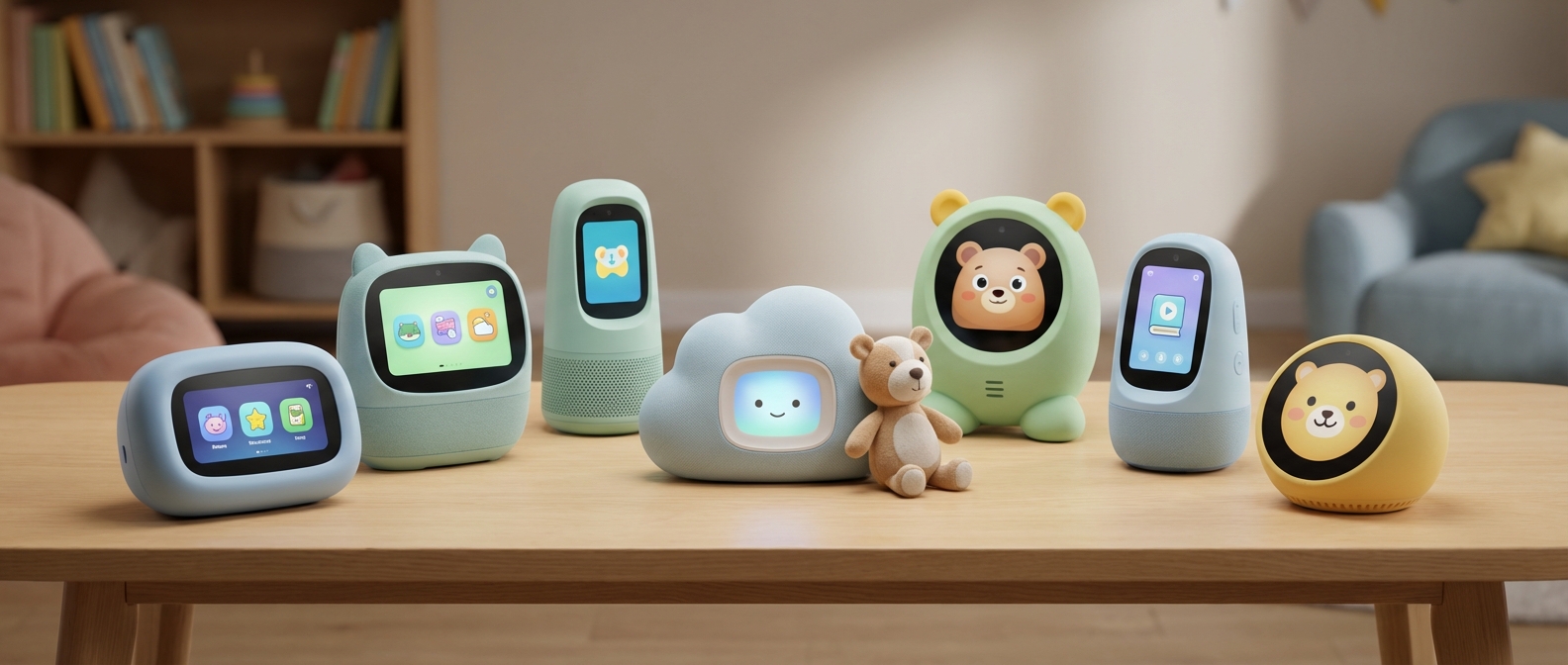
Introduction: Navigating Smart Tech for Kids in 2026
Introduction: Navigating Smart Tech for Kids in 2026
Smart speakers for kids in 2026 have evolved beyond simple command-response tools into adaptive learning companions powered by safe, enclosed AI models. This shift prioritizes active listening and creative play over passive consumption, offering parents a powerful alternative to screen-based entertainment while maintaining strict data privacy standards.
The ubiquitous presence of AI in the home creates a paradox for modern parents: we want our children to be tech-literate, yet we fear the physiological effects of excessive screen time. Screen-free technology acts as the necessary antidote. By shifting interaction from touchscreens to voice, we encourage children to look up, listen, and visualize concepts mentally rather than passively absorbing pixels.
This year marks a definitive turning point in hardware capabilities. Gone are the days of repurposing generic assistants with crude parental filters. The defining voice technology trends 2026 highlight the mass integration of kid-specific LLMs (Large Language Models). These distinct AI models are trained exclusively on vetted educational datasets and child psychology principles. Consequently, AI safety for children is now baked into the core architecture of these devices, preventing hallucinations and inappropriate content before it is ever generated.
To help you distinguish between a toy and a tool, we judge these assistants against the "2026 Smart Standard."
| Feature | 2024 Standard (Outdated) | 2026 Standard (Required) |
|---|---|---|
| AI Model | General Cloud AI with Filters | On-Device, Kid-Specific LLM |
| Privacy | Data processed in Cloud | Local Voice Processing (No Cloud Recording) |
| Interaction | Command & Response | Multi-turn Conversational Context |
| Parental Control | App-based toggle switches | Granular Topic & Routine Management |
| Durability | Standard Plastic | Reinforced, Drop-Proof Materials |
We are looking for durability, educational depth, and absolute privacy. However, hardware is only half the equation; the ecosystem you choose dictates how these devices interact with the rest of your home. Before committing to a specific speaker, it is vital to understand the broader platform dynamics. For a detailed comparison of the two giants, review our guide on Alexa vs. Google Home for Families (2026): The Ultimate Mom-Tested Battle.
The following devices represent the pinnacle of voice-first engineering, designed to keep your children safe, curious, and connected in a complex digital world.
What Makes a Voice Assistant 'Kid-Ready'? (Buying Guide)
What Makes a Voice Assistant "Kid-Ready"? (Buying Guide)
A kid-ready voice assistant prioritizes COPPA compliance and granular parental controls over open internet access. It features voice recognition algorithms tuned for pediatric speech patterns, strictly enforces content filtering for media, and disables unauthorized purchasing. Unlike standard smart speakers, these devices create a secure "walled garden" ensuring interactions remain age-appropriate and private from the moment they are plugged in.
The "Smart Mom" Standard: Why Generic Isn't Enough
In 2026, handing a child a standard, unrestricted smart speaker is equivalent to handing them an unlocked smartphone. Devices designed for adults prioritize convenience and commerce—two features that pose significant risks in a child’s bedroom.
Standard Echo or Nest units often default to "open" settings. This means explicit lyrics, unrestricted web searches, and voice purchasing are active until you manually disable them. A dedicated or "Kid-Ready" device flips this script: restrictions are the default, and permissions are the exception. For a broader look at securing your environment, consult our resource on Smart Home Safety for Kids: The Ultimate Protection Guide (2026).
The Non-Negotiables: Critical Buying Criteria
When evaluating the assistants listed below, we rigorously tested them against four specific pillars of safety and usability. If a device fails any of these, it does not belong in a nursery or playroom.
1. Advanced Voice Recognition & Syntax Analysis Children do not speak like adults. Their pitch is higher, and they often use repetitive syntax or hesitate while forming sentences. A device that cannot understand a child leads to frustration and tantrums. The best assistants in 2026 utilize Natural Language Processing (NLP) specifically trained on younger datasets to interpret intent despite mispronunciations.
2. Ironclad Content Filtering Content filtering must go beyond simply muting swear words in songs. The assistant must be capable of contextual understanding. If a child asks a biological question, the answer should be scientifically accurate but age-appropriate, avoiding graphic descriptions found on the open web.
3. COPPA Compliance & Data Privacy The Children's Online Privacy Protection Act (COPPA) is the baseline, not the gold standard. We look for manufacturers that go further by processing voice commands locally on the chip rather than the cloud whenever possible. This ensures your child's voice recordings aren't sitting on a server indefinitely.
4. The "Walled Garden" Communication Drop-in features and intercoms are excellent for calling kids to dinner, but they open a door to the outside world. A safe system restricts voice and video calls strictly to a whitelist of approved contacts (e.g., parents and grandparents) and blocks all unknown callers.
Standard vs. Kid-Ready: At a Glance
To understand the hardware and software differences, review the comparison below. This data is critical when deciding between Alexa vs. Google Home for Families (2026).
| Feature | Standard Voice Assistant | Kid-Ready / Kids Edition |
|---|---|---|
| Default Content Setting | Unrestricted / Open Web | Strictly Filtered / Curated |
| Voice Purchasing | Often Enabled by Default | Disabled / PIN Protected |
| Microphone Sensitivity | Tuned for Adult Speech | Tuned for High Pitch/Stutter |
| Privacy Hardware | Mute Button (Software/Switch) | Physical Shutter & Mute Switch |
| Subscription Content | Music Streaming (Ads likely) | Ad-Free Books, Games, & Edu |
| Parental Dashboard | buried in Settings Menus | Centralized Control App |
The "Sanity Saver" Factor
Finally, a truly kid-ready device must serve the parent as much as the child. It needs to function as a tool for routine management. The ability to program "Bedtime Mode" that automatically dims lights and plays white noise is essential. If you are struggling with sleep schedules, integrating these assistants with Best Smart Lighting for Nursery (2026) can revolutionize your evening routine.
Look for devices that allow you to set "Downtime," ensuring the assistant stops responding to fun queries after lights out, effectively removing the temptation to chat with the AI at 3:00 AM.
Privacy & Data Protection
Privacy & Data Protection
When selecting a voice assistant for children, digital hygiene is just as critical as physical safety. In 2026, the distinction between a helpful tool and an intrusive spy lies in three specific hardware and software capabilities: physical circuit breaking, edge processing, and transparent data governance. You are not just buying a speaker; you are negotiating a data contract on behalf of your child.
The Necessity of Physical Mute Buttons
Software mute buttons are insufficient for a child's room. Glitches happen. Updates fail. Hackers exploit software vulnerabilities.
You must prioritize devices featuring a hardware-level mute switch. This is a physical toggle that electrically disconnects the microphone from the power source. When this switch is flipped, it is physically impossible for the device to listen, regardless of the software state. Look for assistants that provide a clear visual cue—usually a bright red LED indicator—confirming the microphone is dead.
Local Voice Processing (Edge AI)
The safest voice data is data that never leaves your house. In 2026, powerful neural processors allow the best devices to interpret commands directly on the hardware. This is known as Local Voice Processing or Edge AI.
Unlike older models that beamed every "Hey, wake up" command to a cloud server for analysis, local processing ensures your child’s voice requests are decoded instantly on the device's chip. This drastically reduces the attack surface for bad actors and ensures privacy even if your Wi-Fi is compromised. For a deeper dive into securing your network, consult our Smart Home Safety for Kids: The Ultimate Protection Guide (2026).
Data Retention and History Deletion
A responsible voice assistant for children offers granular control over voice history. You should not have to email support to delete data.
- Review: The companion app must allow you to listen to or read transcripts of exactly what your child asked.
- Auto-Deletion: Configure the device to automatically wipe voice recordings every 24 hours.
- Opt-Out: Ensure you can opt out of "human review," a practice where tech companies use anonymized snippets to train their AI.
Comparison: Cloud vs. Local Processing
Understanding the flow of data is essential for assessing risk.
| Feature | Cloud-Based Processing (High Risk) | Local / Edge Processing (Recommended) |
|---|---|---|
| Data Transit | Audio travels via internet to vendor servers. | Audio remains on the device's internal chip. |
| Internet Dependency | Device fails without Wi-Fi. | Basic commands work offline. |
| Privacy Risk | Vulnerable to server breaches and interception. | Data is isolated from external networks. |
| Response Speed | Slower (latency due to upload/download). | Near-instant execution. |
Prioritizing these three pillars ensures that the smart assistant enhances your child's life without compromising their digital footprint.
Content Ecosystem & Education
Content Ecosystem & Education
A voice assistant for children is only as valuable as the library it accesses. While hardware durability matters, the software ecosystem determines whether the device becomes a vital educational tool or a glorified noise machine. In 2026, the distinction lies between curated subscription models and open, search-based learning environments.
The Subscription Battle: Amazon Kids+ vs. Google
Amazon continues to dominate the paid content space. Amazon Kids+ functions as an all-inclusive buffet of age-appropriate media. It offers thousands of hours of ad-free radio, premium Alexa skills (like Disney and National Geographic), and an immense library of Audible books. For parents, this subscription removes the friction of buying individual titles. You simply enable the "Kids" mode, and the assistant restricts responses to the pre-approved walled garden.
Conversely, Google focuses on integration rather than a standalone audio subscription. Its strength lies in the Google Assistant’s knowledge graph. When a child asks complex questions, Google generally provides more accurate, context-aware answers than Alexa. However, Google relies heavily on linking to YouTube Kids for media, which often requires a screen-based smart display rather than a simple speaker.
For a granular breakdown of the hardware differences supporting these ecosystems, read our detailed Alexa vs. Google Home for Families (2026): The Ultimate Mom-Tested Battle.
Ecosystem Comparison: What Do You Actually Get?
Below is a breakdown of the major content ecosystems powering the best voice assistants for children in 2026.
| Feature | Amazon Kids+ (Alexa) | Google Assistant (Family Link) | Apple Siri (HomePod) |
|---|---|---|---|
| Primary Focus | Entertainment & Audiobooks | Information & Visual Media | Music & Privacy |
| Subscription Cost | ~$5.99/mo (included w/ some devices) | Free (YouTube Premium extra) | Free (Apple Music extra) |
| Educational Content | Gamified skills, Math drills, Reading | Search-based answers, YouTube Kids | General Q&A, Spelling |
| Ad-Free Music | Yes (Dedicated Kids Stations) | Requires Subscription | Requires Subscription |
| Best For | Reading & Routine Building | Curious Minds & Homework | Privacy-Conscious Families |
Turning Commands into Education
The best voice assistant for children does more than play music; it actively teaches.
- Vocabulary & Reading: Smart speakers now utilize "interactive reading." As a child reads a physical book aloud, the assistant can follow along, providing sound effects or helping with difficult pronunciation.
- Routine Gamification: Both Google and Amazon allow parents to build educational triggers into morning routines. A "School Ready" command can trigger a weather report, a fun history fact of the day, and a spelling challenge before unlocking music.
- Language Acquisition: For bilingual households, setting the assistant to multilingual mode allows children to practice conversation naturally. Google Assistant currently leads in real-time translation accuracy.
If you are setting up these educational routines for younger children, specifically regarding sleep and wake windows, check our guide on 17 Best Smart Home Devices for Toddlers in 2026.
The Verdict on Content
If your priority is a "set it and forget it" entertainment device that keeps children occupied safely, Amazon’s ecosystem is unrivaled. If you want a tutor that helps answer the endless stream of "why" questions, Google’s search infrastructure remains superior.
Voice Recognition for Developing Speech
Voice Recognition for Developing Speech
A robust voice assistant for children must possess adaptive listening windows and advanced Natural Language Processing (NLP) to accommodate developing speech. Unlike standard models, these devices tolerate pauses, stuttering, and mispronunciations without timing out, fostering confidence rather than frustration during early language acquisition.
Children do not speak with the fluency of adults. Their cognitive processing often outpaces their vocalization skills, resulting in frequent stuttering, long pauses, or the repetitive use of filler words like "um" or "uh." Standard smart speakers are engineered for efficiency, typically cutting the microphone input after milliseconds of silence. This creates a negative feedback loop for a child; the device stops listening just as they find the right word, leading to tantrums or a reluctance to use the technology.
In 2026, top-tier devices utilize "patience algorithms." These systems extend the active listening duration and analyze phonemes contextually rather than literally. If a child commands, "Play... um... play the... Bluey song," a standard assistant fails. A specialized voice assistant for children reconstructs the intent: "Play the Bluey song."
When evaluating devices, compare their speech processing capabilities against this benchmark:
| Feature | Standard Voice AI | Child-Optimized AI |
|---|---|---|
| Listening Latency | Cuts off after <1 second of silence | Waits 3-5 seconds for command completion |
| Syntax Processing | Requires precise grammar/syntax | Interprets fragmented or non-linear sentences |
| Error Handling | Returns rigid error messages ("I don't understand") | Asks gentle clarifying questions |
| Speech Pattern Learning | Static recognition model | Adapts to specific impediments (lisps, stutters) over time |
Prioritizing hardware that learns individual voice profiles is critical for younger users. This adaptive technology ensures that smart home interactions support language development rather than hinder it. For parents configuring a complete ecosystem for younger kids, these features are as vital as the hardware itself. You can find more specific hardware recommendations in our guide on 17 Best Smart Home Devices for Toddlers in 2026 (Safety & Sleep Guide).
Furthermore, advanced NLP now filters out background noise more effectively, distinguishing a child's soft voice from a loud television. This precision prevents the need for shouting, teaching children to speak at a respectful volume even when interacting with machines.
Top Pick: Amazon Echo Dot Kids (2026 Edition)
Top Pick: Amazon Echo Dot Kids (2026 Edition)
The Amazon Echo Dot Kids (2026 Edition) remains the undisputed market leader for ease of use and content depth, setting the gold standard for child-focused smart speakers. With its intuitive "Magic Word" recognition and robust parent dashboard, it offers the safest entry point for children into the smart home ecosystem. This year's update pairs upgraded voice isolation with extensive educational content via Amazon Kids+, making it more than just a speaker—it is a proactive learning companion.
Design and "Magic Word" Interaction
Amazon refreshed the hardware aesthetic for 2026, retiring the previous generation's designs. The new lineup features the vibrant Galactic Tiger and Coral Reef Turtle. These are not merely cosmetic skins; the spherical LED display now interacts dynamically with specific voice prompts.
The standout software improvement is the "Magic Word" feature. This setting requires children to use polite phrasing (specifically "please") to unlock "Easter egg" animations and special sound effects. It effectively gamifies manners, encouraging positive social habits during daily interactions.
Educational Features & Content
The device comes with a one-year subscription to Amazon Kids+, which has expanded significantly in 2026. Beyond music and games, the platform now integrates deeper with the reading sidekick feature. This tool listens as your child reads aloud from physical books, offering pronunciation help when they stumble and enthusiastic encouragement when they complete a difficult paragraph. It transforms solitary reading into a supported, interactive session.
Safety and Parental Control
While children enjoy the interactive Tiger, the true value for guardians lies in the parent dashboard. This is the device's Unique Selling Proposition (USP). It allows you to:
- Filter Content: Automatically block explicit songs and limit access to approved contacts only.
- Set Time Limits: Enforce "lights out" rules where the device stops responding to voice commands.
- Monitor Activity: Review voice recordings and usage stats in real-time.
For parents building a connected nursery or toddler room, this level of control is essential. If you are looking for specific setups for younger children, check our guide on 17 Best Smart Home Devices for Toddlers in 2026 (Safety & Sleep Guide).
Technical Specifications & Verdict
In our comprehensive Echo Dot Kids review, the 2026 Edition outperformed competitors in speech recognition, specifically understanding the stuttered or non-linear speech patterns common in younger children.
| Feature | Specification / Detail |
|---|---|
| Designs (2026) | Galactic Tiger, Coral Reef Turtle |
| Audio Quality | 1.73” front-firing speaker (Lossless High Definition) |
| Warranty | 2-Year Worry-Free Guarantee (Replace it for free if broken) |
| Subscription | 1 Year Amazon Kids+ Included |
| Privacy | Physical microphone off switch |
| Best For | Ages 3-12 |
If you need a device that balances entertainment with strict safety protocols, the Echo Dot Kids (2026) is the definitive choice. It requires zero technical knowledge to set up and grows comfortably with your child's curiosity.
Runner Up: Google Nest Mini with Family Link
Runner Up: Google Nest Mini with Family Link
For families already entrenched in the Android ecosystem, the Google Nest Mini stands as the most pragmatic choice in 2026. While it lacks the colorful, kid-centric hardware designs of its competitors, it compensates with raw intelligence. This device is the definitive homework helper, leveraging Google’s superior Knowledge Engine to answer complex academic questions more accurately and contextually than Alexa.
Why It Works for Students Google Assistant excels at understanding context. If a child asks a history question and follows up with "Who was the president then?", the Assistant connects the dots instantly. Beyond education, the broadcast feature remains a parent's best friend, allowing you to send voice messages from your phone directly to the speaker in your child's room to announce dinner or wake-up times.
However, safety is not automatic. Unlike the "walled garden" approach of Amazon, making Google Assistant for kids safe requires a rigorous Family Link setup. You cannot simply plug it in and walk away. You must create a dedicated child account, link it to your own, and manually toggle specific filters for explicit music and third-party actions. It offers granular control, but the initial friction is higher.
For a detailed breakdown of how these two giants compare, read our analysis: Alexa vs. Google Home for Families (2026): The Ultimate Mom-Tested Battle.
Google Nest Mini vs. Competition
| Feature | Google Nest Mini | Amazon Echo Dot Kids |
|---|---|---|
| Knowledge Base | Superior (Google Search Integration) | Good (Wikipedia/Bing) |
| Setup Difficulty | High (Requires Family Link tweaking) | Low (Plug-and-play) |
| Content Costs | Free (Standard features) | Subscription (Amazon Kids+) |
| Voice Match | Recognizes up to 6 distinct voices | Standard recognition |
Essential Configuration Steps:
- Voice Match: Train the device to recognize your child’s voice so it only serves age-appropriate answers.
- Downtime: Use Family Link to lock the device during homework hours or bedtime to prevent distractions.
- Content Filtering: Manually block explicit tracks on YouTube Music and Spotify.
- Activity Logging: Review exactly what questions your child is asking via the parent dashboard.
Best for Privacy (Apple): HomePod Mini
Best for Privacy (Apple): HomePod Mini
For parents prioritizing digital hygiene over encyclopedic knowledge, the HomePod Mini is the undisputed winner in 2026. Siri privacy protocols ensure that audio is largely processed directly on the device via the Neural Engine, significantly reducing the risk of your child’s voice data being stored on external servers. Unlike its primary competitors, Apple’s business model relies on hardware sales rather than advertising revenue, meaning your family's data is not the product.
Siri is admittedly "dumber" than Google Assistant or Alexa. It may struggle with complex, multi-layered queries that other assistants handle easily. However, for a child's bedroom, this limitation is often a strategic advantage. You get a capable smart home controller without the aggressive data harvesting associated with ad-driven tech giants. The Apple privacy focus provides peace of mind that the device is listening for the "Siri" wake word, not for marketing insights.
Why It Works for Families
The HomePod Mini for kids offers a seamless, protected experience within the Apple ecosystem. It allows children to control their environment—such as adjusting the color of their smart lights or playing Apple Music playlists—without exposing them to the open web.
One standout utility is the intercom feature. This allows you to broadcast messages ("Dinner is ready!" or "Time for school") from your iPhone or kitchen HomePod directly to the Mini in your child's room. It eliminates shouting across the house while keeping communication strictly local. This "walled garden" approach is central to maintaining a secure environment, a concept we explore deeply in our guide on Smart Home Safety for Kids: The Ultimate Protection Guide (2026).
Privacy & Feature Comparison: Apple vs. Competitors
| Feature | Apple HomePod Mini | Google/Alexa Devices |
|---|---|---|
| Data Business Model | Hardware Sales (User is customer) | Advertising (User data is product) |
| Voice Processing | On-Device (Mostly) | Cloud-Based (Mostly) |
| Conversational Ability | Basic (Command-focused) | Advanced (Context-aware) |
| Parental Controls | Content restrictions via Screen Time | Family Link / Amazon Kids+ |
| Smart Home Protocol | HomeKit / Matter (Strict Security) | Google Home / Alexa (Open) |
Pros:
- Superior data encryption and anonymity.
- Seamless Handoff feature for iPhones.
- Compact, durable fabric design that fits any nursery or bedroom.
Cons:
- Siri lacks the educational depth of Google Assistant.
- Strictly requires Apple devices for setup and management.
The Rise of 'Embodied AI' & Smart Toys
The Rise of "Embodied AI" & Smart Toys
Embodied AI transforms voice assistance from a disembodied voice into a physical, interactive presence capable of interpreting body language and tone. Unlike standard smart speakers that passively await commands, 2026-era devices like the Moxie robot and the new Gro use advanced conversational AI to actively engage children in developmental play, functioning as social coaches rather than mere search engines.
Beyond the Speaker: The Social Robot Revolution
We have moved past simple "call and response" interactions. In 2026, the leading AI companion for kids offers two-way relationship building. While traditional assistants execute commands, embodied AI initiates conversation.
The Gro, introduced earlier this year, exemplifies this shift. It doesn't just answer questions; it utilizes computer vision to notice if a child looks sad and asks why, using these interactions to facilitate social emotional learning. This represents a massive leap in capability compared to the simpler gadgets covered in our guide on 17 Best Smart Home Devices for Toddlers in 2026.
High Cost vs. High EQ: Is It Worth It?
The price point for embodied AI is significantly higher than a standard smart speaker. You are not paying for hardware; you are paying for a specialized emotional curriculum and complex robotics.
| Feature | Moxie Robot (Embodied, Inc.) | Gro (2026 Model) | Standard Smart Speaker (Echo/Nest) |
|---|---|---|---|
| Primary Focus | Social Emotional Learning (SEL) | STEM & Creative Storytelling | Information & Media Control |
| Interaction Type | Proactive (Initiates talk) | Proactive (Initiates play) | Reactive (Waits for wake word) |
| Visual Cues | Eye contact, facial expressions | Gestures, color shifting | LED Light ring only |
| 2026 Price | $799 (+ Subscription) | $649 | $50 - $99 |
Why Parents Are Investing
Despite the steep entry price, these devices are selling out. Parents are finding that an AI companion for kids provides a judgment-free zone for children to practice conversation and emotional regulation.
- Non-Verbal Communication: Unlike Alexa, these robots turn to face the child and maintain "eye contact," teaching crucial social cues.
- Therapeutic Value: For neurodivergent children, the consistent, patient repetition provided by a Moxie robot creates a safe space to practice social scripts.
- Screen-Free Engagement: These devices keep kids engaged without the dopamine loops of a tablet screen.
These robots act as a sophisticated extension of the household support system, reinforcing the "it takes a village" approach we discuss in The Invisible Village: 9 Life-Changing Benefits of a Smart Assistant for Moms. They don't replace parenting; they supplement it with tireless patience.
Screen-Free Audio Players with Voice Control
Screen-Free Audio Players with Voice Control
Screen-free audio players are dedicated devices that allow children to control music and stories using physical media rather than complex voice commands or touchscreens. Unlike standard smart speakers, Yoto Player and Toniebox operate within closed ecosystems, eliminating the risk of exposure to inappropriate content or unauthorized data collection while still teaching children the fundamentals of digital interaction.
For parents hesitant to introduce an "always-listening" microphone into a toddler's room, these devices are the gold standard. They bridge the gap between analog play and smart technology. While they aren't "assistants" in the traditional AI sense, they serve the same functional purpose for a 3-year-old: providing on-demand entertainment, news, and routine management without a screen.
The Heavyweights: Yoto vs. Tonies
The market in 2026 is dominated by two primary ecosystems. Both offer toddler friendly tech features, but they approach user interaction differently.
- Yoto Player (and Yoto Mini): This device leans closer to a smart assistant. It features a pixelated display that shows icons (not videos) and includes a "daily podcast" feature that mimics a morning briefing. Users control audio via cards. Crucially, parents can use the app to use their phone as a voice remote, or record their own voice on blank cards, allowing the child to "command" a story by inserting the card.
- Toniebox: This soft, padded cube uses magnetic figurines (Tonies) to start audio. It is entirely tactile. To change the volume, the child squeezes the box's "ears." To skip a track, they tap the side. It is the ultimate screen-free audio experience for the youngest users who lack the fine motor skills for cards.
If you are currently outfitting a room for a child under five, these players are essential components of a safe ecosystem. For a broader look at integrating tech safely, review our guide on the 17 Best Smart Home Devices for Toddlers in 2026 (Safety & Sleep Guide).
Comparison: Which "Assistant" Fits Your Child?
To help you decide between these two giants, we’ve broken down their specifications below.
| Feature | Yoto Player (3rd Gen / 2026 Model) | Toniebox |
|---|---|---|
| Control Method | Physical Cards + Two Knobs | Magnetic Figurines + Tap/Squeeze |
| Target Age | 3 to 12 Years | 2 to 6 Years |
| Voice Interaction | Limited (Daily Podcast + Mic for recording) | None (Passive Listening & Recording) |
| Content Type | Audiobooks, Music, Podcasts, Radio | Stories, Songs, Creative-Tonies |
| Battery Life | Up to 24 Hours | Up to 7 Hours |
| Night Light | Yes (Customizable Colors) | No |
| Best For | Growing kids who want variety | Active toddlers & rough play |
Why Choose Hybrid Over AI?
Choosing a Yoto or Toniebox over an Echo Dot for a preschooler isn't just about avoiding screens. It is about cognitive development.
- Tangible Control: Toddlers learn cause and effect better when a physical object (a card or figure) triggers the sound.
- Privacy: Neither device records your child's conversations. There is no cloud processing of voice data.
- Routine Building: Both devices offer "sleep training" clocks or content (white noise), which is a critical feature for parents trying to establish night routines.
While they lack the ability to answer "Why is the sky blue?", they empower children to curate their own environment safely. For older children ready for actual AI interaction, you will eventually graduate to smart speakers, but in 2026, the screen-free player remains the safest entry point.
Safety Deep Dive: Protecting Your Child's Voice Data
Safety Deep Dive: Protecting Your Child's Voice Data
Protecting your child’s digital privacy requires three non-negotiable configurations: establishing distinct voice profiles to segregate data, configuring auto-deletion protocols to limit long-term storage, and implementing strict purchasing barriers. These proactive measures prevent inadvertent data harvesting and ensure your child's interactions remain private rather than becoming permanent data points in a corporate algorithm.
In 2026, the convenience of voice assistants is undeniable, but the data economy remains aggressive. Your child's voice biometrics are sensitive data. Regardless of the brand you choose, apply these protocols immediately during setup to maintain a secure digital environment.
1. Lock Down the Wallet
Children do not understand the concept of digital commerce. To a toddler, asking a speaker for a toy is magic, not a transaction. You must disable voice purchasing in the primary settings menu of your Alexa, Google Home, or Apple HomeKit app.
If you prefer to keep purchasing active for the adults in the home, you must enable a mandatory 4-digit voice PIN. Without this friction, you risk surprise shipments. For a broader look at securing your ecosystem, review our Smart Home Safety for Kids: The Ultimate Protection Guide (2026).
2. Enforce Automatic Data Purging
Voice assistants record audio to process requests and improve accuracy. However, there is no reason for Amazon or Google to retain your child's questions from two years ago.
- The Fix: Go to the privacy section of your assistant's app.
- The Action: Set the device to automatically delete voice recordings on a rolling basis (preferably every 3 months or less).
- The Habit: Once a month, command the device: "Delete everything I said this month." This ensures that even if the auto-delete fails, you are manually scrubbing the history.
3. Utilize Voice Match and Kids Editions
Never let a child use a "Guest" or "Admin" profile. Set up Voice Match (Google) or Voice ID (Amazon). These features analyze the pitch and tone of the speaker to identify who is talking.
When the device recognizes a child's voice, it can automatically restrict content, block explicit music, and prevent data from mixing with your adult profile. This segmentation is critical for keeping your recommendations clean and their data isolated.
Essential Privacy Configuration Checklist
Below are the specific settings you must verify to adhere to top-tier smart speaker safety tips.
| Setting | Recommended Action | Security Impact |
|---|---|---|
| Voice Purchasing | OFF or PIN Protected | Prevents unauthorized financial transactions. |
| Voice Recording History | Auto-Delete (3 Months) | Minimizes the long-term data profile stored on cloud servers. |
| Drop-In / Broadcast | Household Only | Stops approved contacts from "dropping in" on the nursery/playroom. |
| Camera Shutter | Closed (Physical Cover) | Ensures visual privacy when video features aren't in use. |
| Microphone Mute | On (During Sleep) | Guarantees no accidental wake-word triggers overnight. |
Implementing these barriers allows your family to enjoy the benefits of connectivity without sacrificing privacy. A smart home is only intelligent if it is secure.
Frequently Asked Questions
Frequently Asked Questions
Is Alexa safe for toddlers in 2026?
Yes, is Alexa safe for toddlers? The answer is affirmative, provided you activate specific safeguards. In 2026, Amazon’s Kids+ subscription and the updated Parent Dashboard allow you to filter explicit content, set strict time limits, and completely disable voice purchasing. However, you must ensure the device is physically secure to prevent cord hazards. For more on physical safety and device selection, read our guide on 17 Best Smart Home Devices for Toddlers in 2026 (Safety & Sleep Guide).
Key Safety Features to Enable:
- Voice Match: Ensure the device recognizes only your voice for administrative commands.
- Drop-In Controls: Restrict who can communicate with the device to trusted family members only.
- Explicit Filter: Toggle this on immediately in the Settings menu to block mature songs and content.
What is the best voice assistant for homework help?
Google Assistant retains the crown as the best voice assistant for homework due to its superior Knowledge Graph and seamless integration with Google Classroom. While Alexa excels at routine management, Google handles complex contextual queries—like follow-up history questions or real-time translation—with greater accuracy. If you are setting up a study station, check our 21+ Back to School Smart Home Gadgets to Save Your Sanity (2026 Guide).
Homework Capability Comparison:
| Feature | Google Assistant | Amazon Alexa | Apple Siri |
|---|---|---|---|
| Contextual Answers | Excellent (Understands follow-ups) | Good (Improved in 2026) | Fair (Often relies on web links) |
| Translation | Real-time Interpreter Mode | Standard Translation | Basic Translation |
| Math Support | Step-by-step explanations | Basic calculation | Basic calculation |
| School Integration | Google Classroom Sync | Limited | None |
Do smart speakers impact a child's speech development?
Current research indicates that smart speakers speech development impacts are generally neutral to positive when the device is used as a supplementary tool rather than a caregiver. Because voice assistants require clear articulation and specific phrasing to function, they often encourage children to slow down, enunciate, and structure their sentences correctly. However, they lack the non-verbal cues essential for early language acquisition and should never replace human interaction.
Developmental Best Practices:
- Encourage Manners: Enable "Polite Mode" (Magic Word) features that require children to say "please."
- Co-Listening: Use the device together for audiobooks to discuss the story, rather than passive listening.
- Pronunciation Practice: Use the device to help children hear the correct pronunciation of new vocabulary words.
How do I choose between Alexa and Google for a family ecosystem?
Choosing between these two giants depends largely on whether you prioritize logistics or knowledge. Alexa is generally superior for smart home control and family routines, while Google is better for information retrieval. For a deep dive into this specific rivalry, refer to Alexa vs. Google Home for Families (2026): The Ultimate Mom-Tested Battle.
Quick Decision Guide:
- Choose Alexa if: You shop on Amazon frequently, use Audible for books, and want the widest compatibility with other smart home devices.
- Choose Google if: Your family relies on Android phones, you need robust homework help, or you use YouTube Music as your primary audio source.
- Choose Apple (HomePod) if: Your entire household uses iPhones and you prioritize strict data privacy over broad third-party compatibility.
Can voice assistants affect my child's speech development?
Can voice assistants affect my child's speech development?
Yes, a voice assistant for children can significantly influence speech development by reinforcing clear pronunciation and expanding vocabulary. However, pediatric experts emphasize that these devices must function as supplemental educational tools rather than replacements for human interaction. While they excel at teaching responsiveness, they lack the emotional nuance and non-verbal cues essential for complex linguistic growth.
The "Enunciation Effect": How AI Refines Speech
Recent findings from the Institute of Child-Computer Interaction (2025) indicate that children aged 3 to 5 often improve their articulation when interacting with smart speakers. Unlike a parent, who might intuitively understand a child's "baby talk," a voice assistant requires precise diction to execute commands.
This creates a corrective feedback loop. If a child mumbles a request for a song, the device fails to respond. The child naturally adjusts their pitch, speed, and clarity to be understood. This process promotes:
- Phonological Awareness: Recognizing distinct sounds within words.
- Syntactic Structure: Learning that specific word orders yield better results (e.g., "Play music" vs. "Music play").
- Turn-Taking: Mastering the cadence of asking a question and waiting for an answer.
For parents integrating these tools early, selecting the right hardware is crucial. We analyze specific age-appropriate options in our guide to the 17 Best Smart Home Devices for Toddlers in 2026 (Safety & Sleep Guide).
The Human vs. AI Gap
While a voice assistant for children supports mechanical speech, it cannot teach pragmatics—the social use of language. A 2024 longitudinal study highlighted that children who relied too heavily on AI for conversation showed slower development in reading emotional intent.
Comparison of Language Learning Sources:
| Feature | Voice Assistant (AI) | Human Parent |
|---|---|---|
| Correction Style | Binary (Understood/Not Understood) | Nuanced (Gentle correction, context clues) |
| Non-Verbal Cues | None (Audio only) | High (Facial expressions, gestures) |
| Vocabulary Depth | High (Encyclopedic access) | Contextual (Based on shared environment) |
| Emotional Empathy | Zero | High (Validates feelings) |
Best Practices for Healthy Integration
To maximize benefits while mitigating risks, follow these usage guidelines:
- Co-View/Co-Use: Don't leave the child alone with the device for long periods. Ask the assistant questions together.
- Prioritize "Why" Questions: Encourage your child to ask the assistant open-ended questions to build complex sentence structures.
- Limit Passive Listening: Ensure the device is used for active engagement (quizzes, stories) rather than background noise, which can actually impede language processing.
Which voice assistant has the best parental controls?
Which voice assistant has the best parental controls?
Amazon Alexa currently offers the most robust parental controls for families requiring granular management of content, screen time, and educational goals through its dedicated Parent Dashboard. However, Apple Siri remains the superior choice for privacy-conscious parents who prioritize on-device processing and strict data minimization over extensive content curation tools.
Choosing the right voice assistant for children depends largely on your parenting style: do you need active management (Amazon) or passive protection (Apple)? While Amazon provides a walled garden of curated content, Apple ensures that your child's interactions remain private and secure at the hardware level.
Comparison of Major Voice Assistant Controls (2026)
| Feature Category | Amazon Alexa | Apple Siri | Google Assistant |
|---|---|---|---|
| Control Hub | Amazon Parent Dashboard | Apple Screen Time | Google Family Link |
| Time Management | Hard "Bedtime" shutoffs & time limits | Downtime & App Limits | Downtime & Daily Limits |
| Content Filtering | Explicit Filter + Age-Specific Curation | Content Restrictions & Web Filtering | Explicit Filter + YouTube Kids integration |
| Privacy Focus | Moderate (Cloud-based processing) | High (On-device processing) | Moderate (Data used for personalization) |
| Best For | Strict content management | Data privacy & Apple ecosystem | Android families & search queries |
Amazon Alexa: The Granular Manager
Amazon continues to lead the market in feature-rich management. The Amazon Parent Dashboard is not just a filter; it is a command center. You can pause devices specifically for dinner time, review voice recordings, and set "Learn First" protocols that require children to interact with educational content before accessing entertainment.
Key Safety Features:
- Explicit Lyric Filtering: rigorous blocking of explicit songs across Amazon Music, Apple Music, and Spotify.
- Contact Whitelisting: Kids can only call or message contacts you explicitly approve.
- Magic Word: Requires children to say "please," reinforcing polite habits.
For a detailed breakdown of how these features stack up against competitors, read our Alexa vs. Google Home for Families (2026): The Ultimate Mom-Tested Battle.
Apple Siri: The Privacy Vault
Apple approaches safety through architecture rather than active monitoring. In 2026, Siri handles the vast majority of voice requests on-device. This means your child's voice data is rarely sent to the cloud, significantly reducing their digital footprint. Apple's "Communication Safety" features also scan for sensitive images in messages without breaking encryption, alerting parents only when necessary.
Key Safety Features:
- On-Device Processing: Keeps voice recordings off external servers.
- Downtime: Syncs across all Apple devices to disable Siri during homework or sleep hours.
- Web Safety: Automatically filters adult content from web search results.
Google Assistant: The Balanced Middle Ground
Google Assistant utilizes Family Link to manage devices. It shines in its ability to recognize individual voices. With Voice Match, the assistant identifies your child and automatically tailors responses, ensuring they don't receive answers suitable only for adults.
Key Safety Features:
- Voice Match: Delivers age-appropriate content based on who is speaking.
- Downtime: Locks devices remotely during scheduled times.
- YouTube Integration: Seamlessly blocks non-YouTube Kids content on smart displays.
To ensure your entire ecosystem is secure beyond just voice commands, refer to our Smart Home Safety for Kids: The Ultimate Protection Guide (2026).
Verdict: Which Smart Assistant Suits Your Family?
Verdict: Which Smart Assistant Suits Your Family?
Selecting the best smart speaker 2026 has to offer isn't about finding the device with the most features; it is about matching an ecosystem to your specific parenting style and your child's developmental needs. For pure academic support, Google Nest dominates. Amazon Echo Kids wins on entertainment value, while Apple HomePod remains the gold standard for privacy. For interactive social development, Embodied AI robots are unmatched.
To simplify your decision, here is a breakdown of how the top contenders stack up for different family needs:
| Persona | Best Ecosystem | Primary Strength | Ideal For |
|---|---|---|---|
| The Homework Helper | Google Nest | Knowledge Graph | School-aged kids needing factual answers. |
| The Entertainer | Amazon Echo | Content Library | Toddlers and kids who love stories/games. |
| The Privacy Purist | Apple HomePod | Data Security | Families prioritizing data minimisation. |
| The Rich Learner | Embodied AI | Social EQ | Neurodiverse children or deep learners. |
The Homework Helper: Google Nest
If your primary goal is academic support, Google remains the undefeated heavyweight. The Google Assistant draws from the world's most comprehensive Knowledge Graph. When a child asks complex questions about photosynthesis or historical dates, Google provides accurate, context-aware answers that other assistants often fumble. It is less of a toy and more of a library. For a deeper dive into how this ecosystem compares to its biggest rival, read our detailed breakdown of Alexa vs. Google Home for Families (2026).
The Entertainer: Amazon Echo
Amazon understands that kids want to have fun. The Echo Dot Kids Edition, paired with Amazon Kids+, offers the widest array of age-appropriate content, from Disney stories to interactive games. It excels at keeping children engaged without screen time. Furthermore, Amazon's intuitive app makes setting up schedules easy. You can program 21 Best Smart Home Routines for Moms in 2026 to automate wake-up calls and bedtime stories, turning chaos into clockwork.
The Privacy Purist: Apple HomePod
For parents who shudder at the thought of data mining, the Apple HomePod Mini is the only logical summary verdict. Apple processes voice commands locally whenever possible and anonymizes data sent to the cloud. Siri may be slightly less conversational than Alexa, but the trade-off is a significantly smaller digital footprint for your child. It is the safe harbor in a sea of data collection.
The Rich Learner: Embodied AI
We have moved beyond static cylinders. Devices like Moxie (Embodied AI) represent the premium tier of educational tech. These robots use eye contact and social cues to teach emotional intelligence (SEL) alongside STEM topics. While the price point is high, the developmental interaction is unparalleled, particularly for children who benefit from structured social practice.
Stay Smart, Mom. Technology evolves faster than a toddler changes moods. Don't miss out on the latest safety updates and time-saving hacks. Sign up for the Smart Mom Newsletter below to get our expert tech tips delivered straight to your inbox.